Locator strategies
A locator is a way to identify elements on a page. It is the argument passed to the Finding element methods.
Check out our encouraged test practices for tips on locators, including which to use when and why to declare locators separately from the finding methods.
Traditional Locators
Selenium provides support for these 8 traditional location strategies in WebDriver:
| Locator | Description |
|---|---|
| class name | Locates elements whose class name contains the search value (compound class names are not permitted) |
| css selector | Locates elements matching a CSS selector |
| id | Locates elements whose ID attribute matches the search value |
| name | Locates elements whose NAME attribute matches the search value |
| link text | Locates anchor elements whose visible text matches the search value |
| partial link text | Locates anchor elements whose visible text contains the search value. If multiple elements are matching, only the first one will be selected. |
| tag name | Locates elements whose tag name matches the search value |
| xpath | Locates elements matching an XPath expression |
Creating Locators
To work on a web element using Selenium, we need to first locate it on the web page. Selenium provides us above mentioned ways, using which we can locate element on the page. To understand and create locator we will use the following HTML snippet.
<html>
<body>
<style>
.information {
background-color: white;
color: black;
padding: 10px;
}
</style>
<h2>Contact Selenium</h2>
<form>
<input type="radio" name="gender" value="m" />Male
<input type="radio" name="gender" value="f" />Female <br>
<br>
<label for="fname">First name:</label><br>
<input class="information" type="text" id="fname" name="fname" value="Jane"><br><br>
<label for="lname">Last name:</label><br>
<input class="information" type="text" id="lname" name="lname" value="Doe"><br><br>
<label for="newsletter">Newsletter:</label>
<input type="checkbox" name="newsletter" value="1" /><br><br>
<input type="submit" value="Submit">
</form>
<p>To know more about Selenium, visit the official page
<a href ="www.selenium.dev">Selenium Official Page</a>
</p>
</body>
</html>
class name
The HTML page web element can have attribute class. We can see an example in the above shown HTML snippet. We can identify these elements using the class name locator available in Selenium.
WebElement element = driver.findElement(By.className("information"));/examples/java/src/test/java/dev/selenium/elements/LocatorTest.java
import java.util.List;
import org.junit.jupiter.api.AfterEach;
import org.junit.jupiter.api.Assertions;
import org.junit.jupiter.api.BeforeEach;
import org.junit.jupiter.api.Test;
import org.openqa.selenium.By;
import org.openqa.selenium.WebDriver;
import org.openqa.selenium.WebElement;
import org.openqa.selenium.chrome.ChromeDriver;
import org.openqa.selenium.support.pagefactory.ByAll;
import org.openqa.selenium.support.pagefactory.ByChained;

public class LocatorTest {

    private WebDriver driver;

    @BeforeEach
    public void setUp() {
        // Initialize the driver before each test
        driver = new ChromeDriver();
        driver.get("https://www.selenium.dev/selenium/web/locators_tests/locators.html");
    }

    @AfterEach
    public void tearDown() {
        // Close the browser after each test
        if (driver != null) {
            driver.quit();
        }
    }

    @Test
    public void testClassName() {
        WebElement element = driver.findElement(By.className("information"));
        Assertions.assertNotNull(element);
        Assertions.assertEquals("input", element.getTagName());
    }

    @Test
    public void testCssSelector() {
        WebElement element = driver.findElement(By.cssSelector("#fname"));
        Assertions.assertNotNull(element);
        Assertions.assertEquals("Jane", element.getAttribute("value"));
    }

    @Test
    public void testId() {
        WebElement element = driver.findElement(By.id("lname"));
        Assertions.assertNotNull(element);
        Assertions.assertEquals("Doe", element.getAttribute("value"));
    }

    @Test
    public void testName() {
        WebElement element = driver.findElement(By.name("newsletter"));
        Assertions.assertNotNull(element);
        Assertions.assertEquals("input", element.getTagName());
    }

    @Test
    public void testLinkText() {
        WebElement element = driver.findElement(By.linkText("Selenium Official Page"));
        Assertions.assertNotNull(element);
        Assertions.assertEquals("https://www.selenium.dev/", element.getAttribute("href"));
    }

    @Test
    public void testPartialLinkText() {
        WebElement element = driver.findElement(By.partialLinkText("Official Page"));
        Assertions.assertNotNull(element);
        Assertions.assertEquals("https://www.selenium.dev/", element.getAttribute("href"));
    }

    @Test
    public void testTagName() {
        WebElement element = driver.findElement(By.tagName("a"));
        Assertions.assertNotNull(element);
        Assertions.assertEquals("https://www.selenium.dev/", element.getAttribute("href"));
    }

    @Test
    public void testXpath() {
        WebElement element = driver.findElement(By.xpath("//input[@value='f']"));
        Assertions.assertNotNull(element);
        Assertions.assertEquals("radio", element.getAttribute("type"));
    }

    @Test
    public void testByAll() {
        driver.get("https://www.selenium.dev/selenium/web/login.html");

        By locator = new ByAll(By.id("password-field"), By.id("username-field"));
        List<WebElement> loginInputs = driver.findElements(locator);

        Assertions.assertEquals(2, loginInputs.size());
    }

    @Test
    public void testByChained() {
        driver.get("https://www.selenium.dev/selenium/web/login.html");

        By locator = new ByChained(By.id("login-form"), By.tagName("input"));
        WebElement usernameInput = driver.findElement(locator);

        Assertions.assertEquals("Username", usernameInput.getAttribute("placeholder"));
    }
}
    driver = webdriver.Chrome()
    driver.get("https://www.selenium.dev/selenium/web/locators_tests/locators.html")
element = driver.find_element(By.CLASS_NAME, "information")/examples/python/tests/elements/test_locators.py
import pytest
from selenium import webdriver
from selenium.webdriver.common.by import By


def test_class_name():
    driver = webdriver.Chrome()
    driver.get("https://www.selenium.dev/selenium/web/locators_tests/locators.html")
    element = driver.find_element(By.CLASS_NAME, "information")

    assert element is not None
    assert element.tag_name == "input"

    driver.quit()

def test_css_selector(driver):
    driver = webdriver.Chrome()
    driver.get("https://www.selenium.dev/selenium/web/locators_tests/locators.html")
    element = driver.find_element(By.CSS_SELECTOR, "#fname")

    assert element is not None
    assert element.get_attribute("value") == "Jane"

    driver.quit()

def test_id(driver):
    driver = webdriver.Chrome()
    driver.get("https://www.selenium.dev/selenium/web/locators_tests/locators.html")
    element = driver.find_element(By.ID, "lname")

    assert element is not None
    assert element.get_attribute("value") == "Doe"

    driver.quit()

def test_name(driver):
    driver = webdriver.Chrome()
    driver.get("https://www.selenium.dev/selenium/web/locators_tests/locators.html")
    element = driver.find_element(By.NAME, "newsletter")

    assert element is not None
    assert element.tag_name == "input"

    driver.quit()

def test_link_text(driver):
    driver = webdriver.Chrome()
    driver.get("https://www.selenium.dev/selenium/web/locators_tests/locators.html")
    element = driver.find_element(By.LINK_TEXT, "Selenium Official Page")

    assert element is not None
    assert element.get_attribute("href") == "https://www.selenium.dev/"

    driver.quit()

def test_partial_link_text(driver):
    driver = webdriver.Chrome()
    driver.get("https://www.selenium.dev/selenium/web/locators_tests/locators.html")
    element = driver.find_element(By.PARTIAL_LINK_TEXT, "Official Page")

    assert element is not None
    assert element.get_attribute("href") == "https://www.selenium.dev/"

    driver.quit()

def test_tag_name(driver):
    driver = webdriver.Chrome()
    driver.get("https://www.selenium.dev/selenium/web/locators_tests/locators.html")
    element = driver.find_element(By.TAG_NAME, "a")

    assert element is not None
    assert element.get_attribute("href") == "https://www.selenium.dev/"

    driver.quit()

def test_xpath(driver):
    driver = webdriver.Chrome()
    driver.get("https://www.selenium.dev/selenium/web/locators_tests/locators.html")
    element = driver.find_element(By.XPATH, "//input[@value='f']")

    assert element is not None
    assert element.get_attribute("type") == "radio"

    driver.quit()
    var driver = new ChromeDriver();
	driver.FindElement(By.ClassName("information"));
driver.find_element(class: 'information')/examples/ruby/spec/elements/locators_spec.rb
# frozen_string_literal: true

require 'spec_helper'

RSpec.describe 'Element Locators', skip: 'These are reference following the documentation example' do
  it 'finds element by class name' do
    driver.find_element(class: 'information')
  end

  it 'finds element by css selector' do
    driver.find_element(css: '#fname')
  end

  it 'finds element by id' do
    driver.find_element(id: 'lname')
  end

  it 'find element by name' do
    driver.find_element(name: 'newsletter')
  end

  it 'finds element by link text' do
    driver.find_element(link_text: 'Selenium Official Page')
  end

  it 'finds element by partial link text' do
    driver.find_element(partial_link_text: 'Official Page')
  end

  it 'finds element by tag name' do
    driver.find_element(tag_name: 'a')
  end

  it 'finds element by xpath' do
    driver.find_element(xpath: "//input[@value='f']")
  end

  context 'with relative locators' do
    it 'finds element above' do
      driver.find_element({relative: {tag_name: 'input', above: {id: 'password'}}})
    end

    it 'finds element below' do
      driver.find_element({relative: {tag_name: 'input', below: {id: 'email'}}})
    end

    it 'finds element to the left' do
      driver.find_element({relative: {tag_name: 'button', left: {id: 'submit'}}})
    end

    it 'finds element to the right' do
      driver.find_element({relative: {tag_name: 'button', right: {id: 'cancel'}}})
    end

    it 'finds near element' do
      driver.find_element({relative: {tag_name: 'input', near: {id: 'lbl-email'}}})
    end

    it 'chains relative locators' do
      driver.find_element({relative: {tag_name: 'button', below: {id: 'email'}, right: {id: 'cancel'}}})
    end
  end
end
    let driver = await new Builder().forBrowser('chrome').build();
    await driver.get('https://www.selenium.dev/selenium/web/locators_tests/locators.html');
const element = await driver.findElement(By.className('information'));/examples/javascript/test/elements/locators.spec.js
const {By, Builder} = require('selenium-webdriver');
const assert = require("assert");

describe('Element Locator Test', function () {
  it('Check if element can be found by class name', async () => {
    let driver = await new Builder().forBrowser('chrome').build();
    await driver.get('https://www.selenium.dev/selenium/web/locators_tests/locators.html');
    const element = await driver.findElement(By.className('information'));
    const tag = await element.getTagName();
    const id = await element.getAttribute("id");
    const value = await element.getAttribute("value");

    assert.equal(tag, "input");
    assert.equal(id, "fname");
    assert.equal(value, "Jane");
    await driver.quit();
  });

  it('Check if element can be found by css selector', async function () {
    let driver = await new Builder().forBrowser('chrome').build();
    await driver.get('https://www.selenium.dev/selenium/web/locators_tests/locators.html');
    const element = await driver.findElement(By.css('#fname'));

    const tag = await element.getTagName();
    const id = await element.getAttribute("id");
    const value = await element.getAttribute("value");

    assert.equal(tag, "input");
    assert.equal(id, "fname");
    assert.equal(value, "Jane");
    await driver.quit();
  });

  it('Check if element can be found by id', async function () {
    let driver = await new Builder().forBrowser('chrome').build();
    await driver.get('https://www.selenium.dev/selenium/web/locators_tests/locators.html');
    const element = await driver.findElement(By.id('lname'));

    const tag = await element.getTagName();
    const id = await element.getAttribute("id");
    const value = await element.getAttribute("value");

    assert.equal(tag, "input");
    assert.equal(id, "lname");
    assert.equal(value, "Doe");
    await driver.quit();
  });

  it('Check if element can be found by name', async function () {
    let driver = await new Builder().forBrowser('chrome').build();
    await driver.get('https://www.selenium.dev/selenium/web/locators_tests/locators.html');
    const element = await driver.findElement(By.name("newsletter"));

    const tag = await element.getTagName();
    const type = await element.getAttribute("type");
    const value = await element.getAttribute("value");

    assert.equal(tag, "input");
    assert.equal(type, "checkbox");
    assert.equal(value, "1");
    await driver.quit();
  });


  it('Check if element can be found by link text', async function () {
    let driver = await new Builder().forBrowser('chrome').build();
    await driver.get('https://www.selenium.dev/selenium/web/locators_tests/locators.html');
    const element = await driver.findElement(By.linkText("Selenium Official Page"));

    const tag = await element.getTagName();
    const href = await element.getAttribute("href");

    assert.equal(tag, "a");
    assert.equal(href, "https://www.selenium.dev/");
    await driver.quit();
  });

  it('Check if element can be found by partial link text', async function () {
    let driver = await new Builder().forBrowser('chrome').build();
    await driver.get('https://www.selenium.dev/selenium/web/locators_tests/locators.html');
    const element = await driver.findElement(By.partialLinkText("Official Page"));

    const tag = await element.getTagName();
    const href = await element.getAttribute("href");

    assert.equal(tag, "a");
    assert.equal(href, "https://www.selenium.dev/");
    await driver.quit();
  });

  it('Check if element can be found by tag name', async function () {
    let driver = await new Builder().forBrowser('chrome').build();
    await driver.get('https://www.selenium.dev/selenium/web/locators_tests/locators.html');
    const element = await driver.findElement(By.tagName("a"));

    const tag = await element.getTagName();
    const text = await element.getText();

    assert.equal(tag, "a");
    assert.equal(text, "Selenium Official Page");
    await driver.quit();
  });

  it('Check if element can be found by xpath', async function () {
    let driver = await new Builder().forBrowser('chrome').build();
    await driver.get('https://www.selenium.dev/selenium/web/locators_tests/locators.html');
    const element = await driver.findElement(By.xpath('//input[@value="f"]'));

    const tag = await element.getTagName();
    const type = await element.getAttribute("type");
    const value = await element.getAttribute("value");

    assert.equal(tag, "input");
    assert.equal(type, "radio");
    assert.equal(value, "f");
    await driver.quit();
  });
});
    val driver = ChromeDriver()
	val loc: WebElement = driver.findElement(By.className("information"))
css selector
CSS is the language used to style HTML pages. We can use css selector locator strategy to identify the element on the page. If the element has an id, we create the locator as css = #id. Otherwise the format we follow is css =[attribute=value] . Let us see an example from above HTML snippet. We will create locator for First Name textbox, using css.
WebElement element = driver.findElement(By.cssSelector("#fname"));/examples/java/src/test/java/dev/selenium/elements/LocatorTest.java
import java.util.List;
import org.junit.jupiter.api.AfterEach;
import org.junit.jupiter.api.Assertions;
import org.junit.jupiter.api.BeforeEach;
import org.junit.jupiter.api.Test;
import org.openqa.selenium.By;
import org.openqa.selenium.WebDriver;
import org.openqa.selenium.WebElement;
import org.openqa.selenium.chrome.ChromeDriver;
import org.openqa.selenium.support.pagefactory.ByAll;
import org.openqa.selenium.support.pagefactory.ByChained;

public class LocatorTest {

    private WebDriver driver;

    @BeforeEach
    public void setUp() {
        // Initialize the driver before each test
        driver = new ChromeDriver();
        driver.get("https://www.selenium.dev/selenium/web/locators_tests/locators.html");
    }

    @AfterEach
    public void tearDown() {
        // Close the browser after each test
        if (driver != null) {
            driver.quit();
        }
    }

    @Test
    public void testClassName() {
        WebElement element = driver.findElement(By.className("information"));
        Assertions.assertNotNull(element);
        Assertions.assertEquals("input", element.getTagName());
    }

    @Test
    public void testCssSelector() {
        WebElement element = driver.findElement(By.cssSelector("#fname"));
        Assertions.assertNotNull(element);
        Assertions.assertEquals("Jane", element.getAttribute("value"));
    }

    @Test
    public void testId() {
        WebElement element = driver.findElement(By.id("lname"));
        Assertions.assertNotNull(element);
        Assertions.assertEquals("Doe", element.getAttribute("value"));
    }

    @Test
    public void testName() {
        WebElement element = driver.findElement(By.name("newsletter"));
        Assertions.assertNotNull(element);
        Assertions.assertEquals("input", element.getTagName());
    }

    @Test
    public void testLinkText() {
        WebElement element = driver.findElement(By.linkText("Selenium Official Page"));
        Assertions.assertNotNull(element);
        Assertions.assertEquals("https://www.selenium.dev/", element.getAttribute("href"));
    }

    @Test
    public void testPartialLinkText() {
        WebElement element = driver.findElement(By.partialLinkText("Official Page"));
        Assertions.assertNotNull(element);
        Assertions.assertEquals("https://www.selenium.dev/", element.getAttribute("href"));
    }

    @Test
    public void testTagName() {
        WebElement element = driver.findElement(By.tagName("a"));
        Assertions.assertNotNull(element);
        Assertions.assertEquals("https://www.selenium.dev/", element.getAttribute("href"));
    }

    @Test
    public void testXpath() {
        WebElement element = driver.findElement(By.xpath("//input[@value='f']"));
        Assertions.assertNotNull(element);
        Assertions.assertEquals("radio", element.getAttribute("type"));
    }

    @Test
    public void testByAll() {
        driver.get("https://www.selenium.dev/selenium/web/login.html");

        By locator = new ByAll(By.id("password-field"), By.id("username-field"));
        List<WebElement> loginInputs = driver.findElements(locator);

        Assertions.assertEquals(2, loginInputs.size());
    }

    @Test
    public void testByChained() {
        driver.get("https://www.selenium.dev/selenium/web/login.html");

        By locator = new ByChained(By.id("login-form"), By.tagName("input"));
        WebElement usernameInput = driver.findElement(locator);

        Assertions.assertEquals("Username", usernameInput.getAttribute("placeholder"));
    }
}
    driver = webdriver.Chrome()
    driver.get("https://www.selenium.dev/selenium/web/locators_tests/locators.html")
element = driver.find_element(By.CSS_SELECTOR, "#fname")/examples/python/tests/elements/test_locators.py
import pytest
from selenium import webdriver
from selenium.webdriver.common.by import By


def test_class_name():
    driver = webdriver.Chrome()
    driver.get("https://www.selenium.dev/selenium/web/locators_tests/locators.html")
    element = driver.find_element(By.CLASS_NAME, "information")

    assert element is not None
    assert element.tag_name == "input"

    driver.quit()

def test_css_selector(driver):
    driver = webdriver.Chrome()
    driver.get("https://www.selenium.dev/selenium/web/locators_tests/locators.html")
    element = driver.find_element(By.CSS_SELECTOR, "#fname")

    assert element is not None
    assert element.get_attribute("value") == "Jane"

    driver.quit()

def test_id(driver):
    driver = webdriver.Chrome()
    driver.get("https://www.selenium.dev/selenium/web/locators_tests/locators.html")
    element = driver.find_element(By.ID, "lname")

    assert element is not None
    assert element.get_attribute("value") == "Doe"

    driver.quit()

def test_name(driver):
    driver = webdriver.Chrome()
    driver.get("https://www.selenium.dev/selenium/web/locators_tests/locators.html")
    element = driver.find_element(By.NAME, "newsletter")

    assert element is not None
    assert element.tag_name == "input"

    driver.quit()

def test_link_text(driver):
    driver = webdriver.Chrome()
    driver.get("https://www.selenium.dev/selenium/web/locators_tests/locators.html")
    element = driver.find_element(By.LINK_TEXT, "Selenium Official Page")

    assert element is not None
    assert element.get_attribute("href") == "https://www.selenium.dev/"

    driver.quit()

def test_partial_link_text(driver):
    driver = webdriver.Chrome()
    driver.get("https://www.selenium.dev/selenium/web/locators_tests/locators.html")
    element = driver.find_element(By.PARTIAL_LINK_TEXT, "Official Page")

    assert element is not None
    assert element.get_attribute("href") == "https://www.selenium.dev/"

    driver.quit()

def test_tag_name(driver):
    driver = webdriver.Chrome()
    driver.get("https://www.selenium.dev/selenium/web/locators_tests/locators.html")
    element = driver.find_element(By.TAG_NAME, "a")

    assert element is not None
    assert element.get_attribute("href") == "https://www.selenium.dev/"

    driver.quit()

def test_xpath(driver):
    driver = webdriver.Chrome()
    driver.get("https://www.selenium.dev/selenium/web/locators_tests/locators.html")
    element = driver.find_element(By.XPATH, "//input[@value='f']")

    assert element is not None
    assert element.get_attribute("type") == "radio"

    driver.quit()
    var driver = new ChromeDriver();
	driver.FindElement(By.CssSelector("#fname"));
driver.find_element(css: '#fname')/examples/ruby/spec/elements/locators_spec.rb
# frozen_string_literal: true

require 'spec_helper'

RSpec.describe 'Element Locators', skip: 'These are reference following the documentation example' do
  it 'finds element by class name' do
    driver.find_element(class: 'information')
  end

  it 'finds element by css selector' do
    driver.find_element(css: '#fname')
  end

  it 'finds element by id' do
    driver.find_element(id: 'lname')
  end

  it 'find element by name' do
    driver.find_element(name: 'newsletter')
  end

  it 'finds element by link text' do
    driver.find_element(link_text: 'Selenium Official Page')
  end

  it 'finds element by partial link text' do
    driver.find_element(partial_link_text: 'Official Page')
  end

  it 'finds element by tag name' do
    driver.find_element(tag_name: 'a')
  end

  it 'finds element by xpath' do
    driver.find_element(xpath: "//input[@value='f']")
  end

  context 'with relative locators' do
    it 'finds element above' do
      driver.find_element({relative: {tag_name: 'input', above: {id: 'password'}}})
    end

    it 'finds element below' do
      driver.find_element({relative: {tag_name: 'input', below: {id: 'email'}}})
    end

    it 'finds element to the left' do
      driver.find_element({relative: {tag_name: 'button', left: {id: 'submit'}}})
    end

    it 'finds element to the right' do
      driver.find_element({relative: {tag_name: 'button', right: {id: 'cancel'}}})
    end

    it 'finds near element' do
      driver.find_element({relative: {tag_name: 'input', near: {id: 'lbl-email'}}})
    end

    it 'chains relative locators' do
      driver.find_element({relative: {tag_name: 'button', below: {id: 'email'}, right: {id: 'cancel'}}})
    end
  end
end
    let driver = await new Builder().forBrowser('chrome').build();
    await driver.get('https://www.selenium.dev/selenium/web/locators_tests/locators.html');
const element = await driver.findElement(By.css('#fname'));/examples/javascript/test/elements/locators.spec.js
const {By, Builder} = require('selenium-webdriver');
const assert = require("assert");

describe('Element Locator Test', function () {
  it('Check if element can be found by class name', async () => {
    let driver = await new Builder().forBrowser('chrome').build();
    await driver.get('https://www.selenium.dev/selenium/web/locators_tests/locators.html');
    const element = await driver.findElement(By.className('information'));
    const tag = await element.getTagName();
    const id = await element.getAttribute("id");
    const value = await element.getAttribute("value");

    assert.equal(tag, "input");
    assert.equal(id, "fname");
    assert.equal(value, "Jane");
    await driver.quit();
  });

  it('Check if element can be found by css selector', async function () {
    let driver = await new Builder().forBrowser('chrome').build();
    await driver.get('https://www.selenium.dev/selenium/web/locators_tests/locators.html');
    const element = await driver.findElement(By.css('#fname'));

    const tag = await element.getTagName();
    const id = await element.getAttribute("id");
    const value = await element.getAttribute("value");

    assert.equal(tag, "input");
    assert.equal(id, "fname");
    assert.equal(value, "Jane");
    await driver.quit();
  });

  it('Check if element can be found by id', async function () {
    let driver = await new Builder().forBrowser('chrome').build();
    await driver.get('https://www.selenium.dev/selenium/web/locators_tests/locators.html');
    const element = await driver.findElement(By.id('lname'));

    const tag = await element.getTagName();
    const id = await element.getAttribute("id");
    const value = await element.getAttribute("value");

    assert.equal(tag, "input");
    assert.equal(id, "lname");
    assert.equal(value, "Doe");
    await driver.quit();
  });

  it('Check if element can be found by name', async function () {
    let driver = await new Builder().forBrowser('chrome').build();
    await driver.get('https://www.selenium.dev/selenium/web/locators_tests/locators.html');
    const element = await driver.findElement(By.name("newsletter"));

    const tag = await element.getTagName();
    const type = await element.getAttribute("type");
    const value = await element.getAttribute("value");

    assert.equal(tag, "input");
    assert.equal(type, "checkbox");
    assert.equal(value, "1");
    await driver.quit();
  });


  it('Check if element can be found by link text', async function () {
    let driver = await new Builder().forBrowser('chrome').build();
    await driver.get('https://www.selenium.dev/selenium/web/locators_tests/locators.html');
    const element = await driver.findElement(By.linkText("Selenium Official Page"));

    const tag = await element.getTagName();
    const href = await element.getAttribute("href");

    assert.equal(tag, "a");
    assert.equal(href, "https://www.selenium.dev/");
    await driver.quit();
  });

  it('Check if element can be found by partial link text', async function () {
    let driver = await new Builder().forBrowser('chrome').build();
    await driver.get('https://www.selenium.dev/selenium/web/locators_tests/locators.html');
    const element = await driver.findElement(By.partialLinkText("Official Page"));

    const tag = await element.getTagName();
    const href = await element.getAttribute("href");

    assert.equal(tag, "a");
    assert.equal(href, "https://www.selenium.dev/");
    await driver.quit();
  });

  it('Check if element can be found by tag name', async function () {
    let driver = await new Builder().forBrowser('chrome').build();
    await driver.get('https://www.selenium.dev/selenium/web/locators_tests/locators.html');
    const element = await driver.findElement(By.tagName("a"));

    const tag = await element.getTagName();
    const text = await element.getText();

    assert.equal(tag, "a");
    assert.equal(text, "Selenium Official Page");
    await driver.quit();
  });

  it('Check if element can be found by xpath', async function () {
    let driver = await new Builder().forBrowser('chrome').build();
    await driver.get('https://www.selenium.dev/selenium/web/locators_tests/locators.html');
    const element = await driver.findElement(By.xpath('//input[@value="f"]'));

    const tag = await element.getTagName();
    const type = await element.getAttribute("type");
    const value = await element.getAttribute("value");

    assert.equal(tag, "input");
    assert.equal(type, "radio");
    assert.equal(value, "f");
    await driver.quit();
  });
});
    val driver = ChromeDriver()
	val loc: WebElement = driver.findElement(By.css("#fname"))
id
We can use the ID attribute of an element in a web page to locate it. Generally the ID property should be unique for each element on the web page. We will identify the Last Name field using it.
WebElement element = driver.findElement(By.id("lname"));/examples/java/src/test/java/dev/selenium/elements/LocatorTest.java
import java.util.List;
import org.junit.jupiter.api.AfterEach;
import org.junit.jupiter.api.Assertions;
import org.junit.jupiter.api.BeforeEach;
import org.junit.jupiter.api.Test;
import org.openqa.selenium.By;
import org.openqa.selenium.WebDriver;
import org.openqa.selenium.WebElement;
import org.openqa.selenium.chrome.ChromeDriver;
import org.openqa.selenium.support.pagefactory.ByAll;
import org.openqa.selenium.support.pagefactory.ByChained;

public class LocatorTest {

    private WebDriver driver;

    @BeforeEach
    public void setUp() {
        // Initialize the driver before each test
        driver = new ChromeDriver();
        driver.get("https://www.selenium.dev/selenium/web/locators_tests/locators.html");
    }

    @AfterEach
    public void tearDown() {
        // Close the browser after each test
        if (driver != null) {
            driver.quit();
        }
    }

    @Test
    public void testClassName() {
        WebElement element = driver.findElement(By.className("information"));
        Assertions.assertNotNull(element);
        Assertions.assertEquals("input", element.getTagName());
    }

    @Test
    public void testCssSelector() {
        WebElement element = driver.findElement(By.cssSelector("#fname"));
        Assertions.assertNotNull(element);
        Assertions.assertEquals("Jane", element.getAttribute("value"));
    }

    @Test
    public void testId() {
        WebElement element = driver.findElement(By.id("lname"));
        Assertions.assertNotNull(element);
        Assertions.assertEquals("Doe", element.getAttribute("value"));
    }

    @Test
    public void testName() {
        WebElement element = driver.findElement(By.name("newsletter"));
        Assertions.assertNotNull(element);
        Assertions.assertEquals("input", element.getTagName());
    }

    @Test
    public void testLinkText() {
        WebElement element = driver.findElement(By.linkText("Selenium Official Page"));
        Assertions.assertNotNull(element);
        Assertions.assertEquals("https://www.selenium.dev/", element.getAttribute("href"));
    }

    @Test
    public void testPartialLinkText() {
        WebElement element = driver.findElement(By.partialLinkText("Official Page"));
        Assertions.assertNotNull(element);
        Assertions.assertEquals("https://www.selenium.dev/", element.getAttribute("href"));
    }

    @Test
    public void testTagName() {
        WebElement element = driver.findElement(By.tagName("a"));
        Assertions.assertNotNull(element);
        Assertions.assertEquals("https://www.selenium.dev/", element.getAttribute("href"));
    }

    @Test
    public void testXpath() {
        WebElement element = driver.findElement(By.xpath("//input[@value='f']"));
        Assertions.assertNotNull(element);
        Assertions.assertEquals("radio", element.getAttribute("type"));
    }

    @Test
    public void testByAll() {
        driver.get("https://www.selenium.dev/selenium/web/login.html");

        By locator = new ByAll(By.id("password-field"), By.id("username-field"));
        List<WebElement> loginInputs = driver.findElements(locator);

        Assertions.assertEquals(2, loginInputs.size());
    }

    @Test
    public void testByChained() {
        driver.get("https://www.selenium.dev/selenium/web/login.html");

        By locator = new ByChained(By.id("login-form"), By.tagName("input"));
        WebElement usernameInput = driver.findElement(locator);

        Assertions.assertEquals("Username", usernameInput.getAttribute("placeholder"));
    }
}
    driver = webdriver.Chrome()
    driver.get("https://www.selenium.dev/selenium/web/locators_tests/locators.html")
element = driver.find_element(By.ID, "lname")/examples/python/tests/elements/test_locators.py
import pytest
from selenium import webdriver
from selenium.webdriver.common.by import By


def test_class_name():
    driver = webdriver.Chrome()
    driver.get("https://www.selenium.dev/selenium/web/locators_tests/locators.html")
    element = driver.find_element(By.CLASS_NAME, "information")

    assert element is not None
    assert element.tag_name == "input"

    driver.quit()

def test_css_selector(driver):
    driver = webdriver.Chrome()
    driver.get("https://www.selenium.dev/selenium/web/locators_tests/locators.html")
    element = driver.find_element(By.CSS_SELECTOR, "#fname")

    assert element is not None
    assert element.get_attribute("value") == "Jane"

    driver.quit()

def test_id(driver):
    driver = webdriver.Chrome()
    driver.get("https://www.selenium.dev/selenium/web/locators_tests/locators.html")
    element = driver.find_element(By.ID, "lname")

    assert element is not None
    assert element.get_attribute("value") == "Doe"

    driver.quit()

def test_name(driver):
    driver = webdriver.Chrome()
    driver.get("https://www.selenium.dev/selenium/web/locators_tests/locators.html")
    element = driver.find_element(By.NAME, "newsletter")

    assert element is not None
    assert element.tag_name == "input"

    driver.quit()

def test_link_text(driver):
    driver = webdriver.Chrome()
    driver.get("https://www.selenium.dev/selenium/web/locators_tests/locators.html")
    element = driver.find_element(By.LINK_TEXT, "Selenium Official Page")

    assert element is not None
    assert element.get_attribute("href") == "https://www.selenium.dev/"

    driver.quit()

def test_partial_link_text(driver):
    driver = webdriver.Chrome()
    driver.get("https://www.selenium.dev/selenium/web/locators_tests/locators.html")
    element = driver.find_element(By.PARTIAL_LINK_TEXT, "Official Page")

    assert element is not None
    assert element.get_attribute("href") == "https://www.selenium.dev/"

    driver.quit()

def test_tag_name(driver):
    driver = webdriver.Chrome()
    driver.get("https://www.selenium.dev/selenium/web/locators_tests/locators.html")
    element = driver.find_element(By.TAG_NAME, "a")

    assert element is not None
    assert element.get_attribute("href") == "https://www.selenium.dev/"

    driver.quit()

def test_xpath(driver):
    driver = webdriver.Chrome()
    driver.get("https://www.selenium.dev/selenium/web/locators_tests/locators.html")
    element = driver.find_element(By.XPATH, "//input[@value='f']")

    assert element is not None
    assert element.get_attribute("type") == "radio"

    driver.quit()
    var driver = new ChromeDriver();
	driver.FindElement(By.Id("lname"));
driver.find_element(id: 'lname')/examples/ruby/spec/elements/locators_spec.rb
# frozen_string_literal: true

require 'spec_helper'

RSpec.describe 'Element Locators', skip: 'These are reference following the documentation example' do
  it 'finds element by class name' do
    driver.find_element(class: 'information')
  end

  it 'finds element by css selector' do
    driver.find_element(css: '#fname')
  end

  it 'finds element by id' do
    driver.find_element(id: 'lname')
  end

  it 'find element by name' do
    driver.find_element(name: 'newsletter')
  end

  it 'finds element by link text' do
    driver.find_element(link_text: 'Selenium Official Page')
  end

  it 'finds element by partial link text' do
    driver.find_element(partial_link_text: 'Official Page')
  end

  it 'finds element by tag name' do
    driver.find_element(tag_name: 'a')
  end

  it 'finds element by xpath' do
    driver.find_element(xpath: "//input[@value='f']")
  end

  context 'with relative locators' do
    it 'finds element above' do
      driver.find_element({relative: {tag_name: 'input', above: {id: 'password'}}})
    end

    it 'finds element below' do
      driver.find_element({relative: {tag_name: 'input', below: {id: 'email'}}})
    end

    it 'finds element to the left' do
      driver.find_element({relative: {tag_name: 'button', left: {id: 'submit'}}})
    end

    it 'finds element to the right' do
      driver.find_element({relative: {tag_name: 'button', right: {id: 'cancel'}}})
    end

    it 'finds near element' do
      driver.find_element({relative: {tag_name: 'input', near: {id: 'lbl-email'}}})
    end

    it 'chains relative locators' do
      driver.find_element({relative: {tag_name: 'button', below: {id: 'email'}, right: {id: 'cancel'}}})
    end
  end
end
    let driver = await new Builder().forBrowser('chrome').build();
    await driver.get('https://www.selenium.dev/selenium/web/locators_tests/locators.html');
const element = await driver.findElement(By.id('lname'));/examples/javascript/test/elements/locators.spec.js
const {By, Builder} = require('selenium-webdriver');
const assert = require("assert");

describe('Element Locator Test', function () {
  it('Check if element can be found by class name', async () => {
    let driver = await new Builder().forBrowser('chrome').build();
    await driver.get('https://www.selenium.dev/selenium/web/locators_tests/locators.html');
    const element = await driver.findElement(By.className('information'));
    const tag = await element.getTagName();
    const id = await element.getAttribute("id");
    const value = await element.getAttribute("value");

    assert.equal(tag, "input");
    assert.equal(id, "fname");
    assert.equal(value, "Jane");
    await driver.quit();
  });

  it('Check if element can be found by css selector', async function () {
    let driver = await new Builder().forBrowser('chrome').build();
    await driver.get('https://www.selenium.dev/selenium/web/locators_tests/locators.html');
    const element = await driver.findElement(By.css('#fname'));

    const tag = await element.getTagName();
    const id = await element.getAttribute("id");
    const value = await element.getAttribute("value");

    assert.equal(tag, "input");
    assert.equal(id, "fname");
    assert.equal(value, "Jane");
    await driver.quit();
  });

  it('Check if element can be found by id', async function () {
    let driver = await new Builder().forBrowser('chrome').build();
    await driver.get('https://www.selenium.dev/selenium/web/locators_tests/locators.html');
    const element = await driver.findElement(By.id('lname'));

    const tag = await element.getTagName();
    const id = await element.getAttribute("id");
    const value = await element.getAttribute("value");

    assert.equal(tag, "input");
    assert.equal(id, "lname");
    assert.equal(value, "Doe");
    await driver.quit();
  });

  it('Check if element can be found by name', async function () {
    let driver = await new Builder().forBrowser('chrome').build();
    await driver.get('https://www.selenium.dev/selenium/web/locators_tests/locators.html');
    const element = await driver.findElement(By.name("newsletter"));

    const tag = await element.getTagName();
    const type = await element.getAttribute("type");
    const value = await element.getAttribute("value");

    assert.equal(tag, "input");
    assert.equal(type, "checkbox");
    assert.equal(value, "1");
    await driver.quit();
  });


  it('Check if element can be found by link text', async function () {
    let driver = await new Builder().forBrowser('chrome').build();
    await driver.get('https://www.selenium.dev/selenium/web/locators_tests/locators.html');
    const element = await driver.findElement(By.linkText("Selenium Official Page"));

    const tag = await element.getTagName();
    const href = await element.getAttribute("href");

    assert.equal(tag, "a");
    assert.equal(href, "https://www.selenium.dev/");
    await driver.quit();
  });

  it('Check if element can be found by partial link text', async function () {
    let driver = await new Builder().forBrowser('chrome').build();
    await driver.get('https://www.selenium.dev/selenium/web/locators_tests/locators.html');
    const element = await driver.findElement(By.partialLinkText("Official Page"));

    const tag = await element.getTagName();
    const href = await element.getAttribute("href");

    assert.equal(tag, "a");
    assert.equal(href, "https://www.selenium.dev/");
    await driver.quit();
  });

  it('Check if element can be found by tag name', async function () {
    let driver = await new Builder().forBrowser('chrome').build();
    await driver.get('https://www.selenium.dev/selenium/web/locators_tests/locators.html');
    const element = await driver.findElement(By.tagName("a"));

    const tag = await element.getTagName();
    const text = await element.getText();

    assert.equal(tag, "a");
    assert.equal(text, "Selenium Official Page");
    await driver.quit();
  });

  it('Check if element can be found by xpath', async function () {
    let driver = await new Builder().forBrowser('chrome').build();
    await driver.get('https://www.selenium.dev/selenium/web/locators_tests/locators.html');
    const element = await driver.findElement(By.xpath('//input[@value="f"]'));

    const tag = await element.getTagName();
    const type = await element.getAttribute("type");
    const value = await element.getAttribute("value");

    assert.equal(tag, "input");
    assert.equal(type, "radio");
    assert.equal(value, "f");
    await driver.quit();
  });
});
    val driver = ChromeDriver()
	val loc: WebElement = driver.findElement(By.id("lname"))
name
We can use the NAME attribute of an element in a web page to locate it. Generally the NAME property should be unique for each element on the web page. We will identify the Newsletter checkbox using it.
WebElement element = driver.findElement(By.name("newsletter"));/examples/java/src/test/java/dev/selenium/elements/LocatorTest.java
import java.util.List;
import org.junit.jupiter.api.AfterEach;
import org.junit.jupiter.api.Assertions;
import org.junit.jupiter.api.BeforeEach;
import org.junit.jupiter.api.Test;
import org.openqa.selenium.By;
import org.openqa.selenium.WebDriver;
import org.openqa.selenium.WebElement;
import org.openqa.selenium.chrome.ChromeDriver;
import org.openqa.selenium.support.pagefactory.ByAll;
import org.openqa.selenium.support.pagefactory.ByChained;

public class LocatorTest {

    private WebDriver driver;

    @BeforeEach
    public void setUp() {
        // Initialize the driver before each test
        driver = new ChromeDriver();
        driver.get("https://www.selenium.dev/selenium/web/locators_tests/locators.html");
    }

    @AfterEach
    public void tearDown() {
        // Close the browser after each test
        if (driver != null) {
            driver.quit();
        }
    }

    @Test
    public void testClassName() {
        WebElement element = driver.findElement(By.className("information"));
        Assertions.assertNotNull(element);
        Assertions.assertEquals("input", element.getTagName());
    }

    @Test
    public void testCssSelector() {
        WebElement element = driver.findElement(By.cssSelector("#fname"));
        Assertions.assertNotNull(element);
        Assertions.assertEquals("Jane", element.getAttribute("value"));
    }

    @Test
    public void testId() {
        WebElement element = driver.findElement(By.id("lname"));
        Assertions.assertNotNull(element);
        Assertions.assertEquals("Doe", element.getAttribute("value"));
    }

    @Test
    public void testName() {
        WebElement element = driver.findElement(By.name("newsletter"));
        Assertions.assertNotNull(element);
        Assertions.assertEquals("input", element.getTagName());
    }

    @Test
    public void testLinkText() {
        WebElement element = driver.findElement(By.linkText("Selenium Official Page"));
        Assertions.assertNotNull(element);
        Assertions.assertEquals("https://www.selenium.dev/", element.getAttribute("href"));
    }

    @Test
    public void testPartialLinkText() {
        WebElement element = driver.findElement(By.partialLinkText("Official Page"));
        Assertions.assertNotNull(element);
        Assertions.assertEquals("https://www.selenium.dev/", element.getAttribute("href"));
    }

    @Test
    public void testTagName() {
        WebElement element = driver.findElement(By.tagName("a"));
        Assertions.assertNotNull(element);
        Assertions.assertEquals("https://www.selenium.dev/", element.getAttribute("href"));
    }

    @Test
    public void testXpath() {
        WebElement element = driver.findElement(By.xpath("//input[@value='f']"));
        Assertions.assertNotNull(element);
        Assertions.assertEquals("radio", element.getAttribute("type"));
    }

    @Test
    public void testByAll() {
        driver.get("https://www.selenium.dev/selenium/web/login.html");

        By locator = new ByAll(By.id("password-field"), By.id("username-field"));
        List<WebElement> loginInputs = driver.findElements(locator);

        Assertions.assertEquals(2, loginInputs.size());
    }

    @Test
    public void testByChained() {
        driver.get("https://www.selenium.dev/selenium/web/login.html");

        By locator = new ByChained(By.id("login-form"), By.tagName("input"));
        WebElement usernameInput = driver.findElement(locator);

        Assertions.assertEquals("Username", usernameInput.getAttribute("placeholder"));
    }
}
    driver = webdriver.Chrome()
    driver.get("https://www.selenium.dev/selenium/web/locators_tests/locators.html")
element = driver.find_element(By.NAME, "newsletter")/examples/python/tests/elements/test_locators.py
import pytest
from selenium import webdriver
from selenium.webdriver.common.by import By


def test_class_name():
    driver = webdriver.Chrome()
    driver.get("https://www.selenium.dev/selenium/web/locators_tests/locators.html")
    element = driver.find_element(By.CLASS_NAME, "information")

    assert element is not None
    assert element.tag_name == "input"

    driver.quit()

def test_css_selector(driver):
    driver = webdriver.Chrome()
    driver.get("https://www.selenium.dev/selenium/web/locators_tests/locators.html")
    element = driver.find_element(By.CSS_SELECTOR, "#fname")

    assert element is not None
    assert element.get_attribute("value") == "Jane"

    driver.quit()

def test_id(driver):
    driver = webdriver.Chrome()
    driver.get("https://www.selenium.dev/selenium/web/locators_tests/locators.html")
    element = driver.find_element(By.ID, "lname")

    assert element is not None
    assert element.get_attribute("value") == "Doe"

    driver.quit()

def test_name(driver):
    driver = webdriver.Chrome()
    driver.get("https://www.selenium.dev/selenium/web/locators_tests/locators.html")
    element = driver.find_element(By.NAME, "newsletter")

    assert element is not None
    assert element.tag_name == "input"

    driver.quit()

def test_link_text(driver):
    driver = webdriver.Chrome()
    driver.get("https://www.selenium.dev/selenium/web/locators_tests/locators.html")
    element = driver.find_element(By.LINK_TEXT, "Selenium Official Page")

    assert element is not None
    assert element.get_attribute("href") == "https://www.selenium.dev/"

    driver.quit()

def test_partial_link_text(driver):
    driver = webdriver.Chrome()
    driver.get("https://www.selenium.dev/selenium/web/locators_tests/locators.html")
    element = driver.find_element(By.PARTIAL_LINK_TEXT, "Official Page")

    assert element is not None
    assert element.get_attribute("href") == "https://www.selenium.dev/"

    driver.quit()

def test_tag_name(driver):
    driver = webdriver.Chrome()
    driver.get("https://www.selenium.dev/selenium/web/locators_tests/locators.html")
    element = driver.find_element(By.TAG_NAME, "a")

    assert element is not None
    assert element.get_attribute("href") == "https://www.selenium.dev/"

    driver.quit()

def test_xpath(driver):
    driver = webdriver.Chrome()
    driver.get("https://www.selenium.dev/selenium/web/locators_tests/locators.html")
    element = driver.find_element(By.XPATH, "//input[@value='f']")

    assert element is not None
    assert element.get_attribute("type") == "radio"

    driver.quit()
    var driver = new ChromeDriver();
	driver.FindElement(By.Name("newsletter"));
driver.find_element(name: 'newsletter')/examples/ruby/spec/elements/locators_spec.rb
# frozen_string_literal: true

require 'spec_helper'

RSpec.describe 'Element Locators', skip: 'These are reference following the documentation example' do
  it 'finds element by class name' do
    driver.find_element(class: 'information')
  end

  it 'finds element by css selector' do
    driver.find_element(css: '#fname')
  end

  it 'finds element by id' do
    driver.find_element(id: 'lname')
  end

  it 'find element by name' do
    driver.find_element(name: 'newsletter')
  end

  it 'finds element by link text' do
    driver.find_element(link_text: 'Selenium Official Page')
  end

  it 'finds element by partial link text' do
    driver.find_element(partial_link_text: 'Official Page')
  end

  it 'finds element by tag name' do
    driver.find_element(tag_name: 'a')
  end

  it 'finds element by xpath' do
    driver.find_element(xpath: "//input[@value='f']")
  end

  context 'with relative locators' do
    it 'finds element above' do
      driver.find_element({relative: {tag_name: 'input', above: {id: 'password'}}})
    end

    it 'finds element below' do
      driver.find_element({relative: {tag_name: 'input', below: {id: 'email'}}})
    end

    it 'finds element to the left' do
      driver.find_element({relative: {tag_name: 'button', left: {id: 'submit'}}})
    end

    it 'finds element to the right' do
      driver.find_element({relative: {tag_name: 'button', right: {id: 'cancel'}}})
    end

    it 'finds near element' do
      driver.find_element({relative: {tag_name: 'input', near: {id: 'lbl-email'}}})
    end

    it 'chains relative locators' do
      driver.find_element({relative: {tag_name: 'button', below: {id: 'email'}, right: {id: 'cancel'}}})
    end
  end
end
    let driver = await new Builder().forBrowser('chrome').build();
    await driver.get('https://www.selenium.dev/selenium/web/locators_tests/locators.html');
const element = await driver.findElement(By.name("newsletter"));/examples/javascript/test/elements/locators.spec.js
const {By, Builder} = require('selenium-webdriver');
const assert = require("assert");

describe('Element Locator Test', function () {
  it('Check if element can be found by class name', async () => {
    let driver = await new Builder().forBrowser('chrome').build();
    await driver.get('https://www.selenium.dev/selenium/web/locators_tests/locators.html');
    const element = await driver.findElement(By.className('information'));
    const tag = await element.getTagName();
    const id = await element.getAttribute("id");
    const value = await element.getAttribute("value");

    assert.equal(tag, "input");
    assert.equal(id, "fname");
    assert.equal(value, "Jane");
    await driver.quit();
  });

  it('Check if element can be found by css selector', async function () {
    let driver = await new Builder().forBrowser('chrome').build();
    await driver.get('https://www.selenium.dev/selenium/web/locators_tests/locators.html');
    const element = await driver.findElement(By.css('#fname'));

    const tag = await element.getTagName();
    const id = await element.getAttribute("id");
    const value = await element.getAttribute("value");

    assert.equal(tag, "input");
    assert.equal(id, "fname");
    assert.equal(value, "Jane");
    await driver.quit();
  });

  it('Check if element can be found by id', async function () {
    let driver = await new Builder().forBrowser('chrome').build();
    await driver.get('https://www.selenium.dev/selenium/web/locators_tests/locators.html');
    const element = await driver.findElement(By.id('lname'));

    const tag = await element.getTagName();
    const id = await element.getAttribute("id");
    const value = await element.getAttribute("value");

    assert.equal(tag, "input");
    assert.equal(id, "lname");
    assert.equal(value, "Doe");
    await driver.quit();
  });

  it('Check if element can be found by name', async function () {
    let driver = await new Builder().forBrowser('chrome').build();
    await driver.get('https://www.selenium.dev/selenium/web/locators_tests/locators.html');
    const element = await driver.findElement(By.name("newsletter"));

    const tag = await element.getTagName();
    const type = await element.getAttribute("type");
    const value = await element.getAttribute("value");

    assert.equal(tag, "input");
    assert.equal(type, "checkbox");
    assert.equal(value, "1");
    await driver.quit();
  });


  it('Check if element can be found by link text', async function () {
    let driver = await new Builder().forBrowser('chrome').build();
    await driver.get('https://www.selenium.dev/selenium/web/locators_tests/locators.html');
    const element = await driver.findElement(By.linkText("Selenium Official Page"));

    const tag = await element.getTagName();
    const href = await element.getAttribute("href");

    assert.equal(tag, "a");
    assert.equal(href, "https://www.selenium.dev/");
    await driver.quit();
  });

  it('Check if element can be found by partial link text', async function () {
    let driver = await new Builder().forBrowser('chrome').build();
    await driver.get('https://www.selenium.dev/selenium/web/locators_tests/locators.html');
    const element = await driver.findElement(By.partialLinkText("Official Page"));

    const tag = await element.getTagName();
    const href = await element.getAttribute("href");

    assert.equal(tag, "a");
    assert.equal(href, "https://www.selenium.dev/");
    await driver.quit();
  });

  it('Check if element can be found by tag name', async function () {
    let driver = await new Builder().forBrowser('chrome').build();
    await driver.get('https://www.selenium.dev/selenium/web/locators_tests/locators.html');
    const element = await driver.findElement(By.tagName("a"));

    const tag = await element.getTagName();
    const text = await element.getText();

    assert.equal(tag, "a");
    assert.equal(text, "Selenium Official Page");
    await driver.quit();
  });

  it('Check if element can be found by xpath', async function () {
    let driver = await new Builder().forBrowser('chrome').build();
    await driver.get('https://www.selenium.dev/selenium/web/locators_tests/locators.html');
    const element = await driver.findElement(By.xpath('//input[@value="f"]'));

    const tag = await element.getTagName();
    const type = await element.getAttribute("type");
    const value = await element.getAttribute("value");

    assert.equal(tag, "input");
    assert.equal(type, "radio");
    assert.equal(value, "f");
    await driver.quit();
  });
});
    val driver = ChromeDriver()
	val loc: WebElement = driver.findElement(By.name("newsletter"))
link text
If the element we want to locate is a link, we can use the link text locator to identify it on the web page. The link text is the text displayed of the link. In the HTML snippet shared, we have a link available, let’s see how will we locate it.
WebElement element = driver.findElement(By.linkText("Selenium Official Page"));/examples/java/src/test/java/dev/selenium/elements/LocatorTest.java
import java.util.List;
import org.junit.jupiter.api.AfterEach;
import org.junit.jupiter.api.Assertions;
import org.junit.jupiter.api.BeforeEach;
import org.junit.jupiter.api.Test;
import org.openqa.selenium.By;
import org.openqa.selenium.WebDriver;
import org.openqa.selenium.WebElement;
import org.openqa.selenium.chrome.ChromeDriver;
import org.openqa.selenium.support.pagefactory.ByAll;
import org.openqa.selenium.support.pagefactory.ByChained;

public class LocatorTest {

    private WebDriver driver;

    @BeforeEach
    public void setUp() {
        // Initialize the driver before each test
        driver = new ChromeDriver();
        driver.get("https://www.selenium.dev/selenium/web/locators_tests/locators.html");
    }

    @AfterEach
    public void tearDown() {
        // Close the browser after each test
        if (driver != null) {
            driver.quit();
        }
    }

    @Test
    public void testClassName() {
        WebElement element = driver.findElement(By.className("information"));
        Assertions.assertNotNull(element);
        Assertions.assertEquals("input", element.getTagName());
    }

    @Test
    public void testCssSelector() {
        WebElement element = driver.findElement(By.cssSelector("#fname"));
        Assertions.assertNotNull(element);
        Assertions.assertEquals("Jane", element.getAttribute("value"));
    }

    @Test
    public void testId() {
        WebElement element = driver.findElement(By.id("lname"));
        Assertions.assertNotNull(element);
        Assertions.assertEquals("Doe", element.getAttribute("value"));
    }

    @Test
    public void testName() {
        WebElement element = driver.findElement(By.name("newsletter"));
        Assertions.assertNotNull(element);
        Assertions.assertEquals("input", element.getTagName());
    }

    @Test
    public void testLinkText() {
        WebElement element = driver.findElement(By.linkText("Selenium Official Page"));
        Assertions.assertNotNull(element);
        Assertions.assertEquals("https://www.selenium.dev/", element.getAttribute("href"));
    }

    @Test
    public void testPartialLinkText() {
        WebElement element = driver.findElement(By.partialLinkText("Official Page"));
        Assertions.assertNotNull(element);
        Assertions.assertEquals("https://www.selenium.dev/", element.getAttribute("href"));
    }

    @Test
    public void testTagName() {
        WebElement element = driver.findElement(By.tagName("a"));
        Assertions.assertNotNull(element);
        Assertions.assertEquals("https://www.selenium.dev/", element.getAttribute("href"));
    }

    @Test
    public void testXpath() {
        WebElement element = driver.findElement(By.xpath("//input[@value='f']"));
        Assertions.assertNotNull(element);
        Assertions.assertEquals("radio", element.getAttribute("type"));
    }

    @Test
    public void testByAll() {
        driver.get("https://www.selenium.dev/selenium/web/login.html");

        By locator = new ByAll(By.id("password-field"), By.id("username-field"));
        List<WebElement> loginInputs = driver.findElements(locator);

        Assertions.assertEquals(2, loginInputs.size());
    }

    @Test
    public void testByChained() {
        driver.get("https://www.selenium.dev/selenium/web/login.html");

        By locator = new ByChained(By.id("login-form"), By.tagName("input"));
        WebElement usernameInput = driver.findElement(locator);

        Assertions.assertEquals("Username", usernameInput.getAttribute("placeholder"));
    }
}
    driver = webdriver.Chrome()
    driver.get("https://www.selenium.dev/selenium/web/locators_tests/locators.html")
element = driver.find_element(By.LINK_TEXT, "Selenium Official Page")/examples/python/tests/elements/test_locators.py
import pytest
from selenium import webdriver
from selenium.webdriver.common.by import By


def test_class_name():
    driver = webdriver.Chrome()
    driver.get("https://www.selenium.dev/selenium/web/locators_tests/locators.html")
    element = driver.find_element(By.CLASS_NAME, "information")

    assert element is not None
    assert element.tag_name == "input"

    driver.quit()

def test_css_selector(driver):
    driver = webdriver.Chrome()
    driver.get("https://www.selenium.dev/selenium/web/locators_tests/locators.html")
    element = driver.find_element(By.CSS_SELECTOR, "#fname")

    assert element is not None
    assert element.get_attribute("value") == "Jane"

    driver.quit()

def test_id(driver):
    driver = webdriver.Chrome()
    driver.get("https://www.selenium.dev/selenium/web/locators_tests/locators.html")
    element = driver.find_element(By.ID, "lname")

    assert element is not None
    assert element.get_attribute("value") == "Doe"

    driver.quit()

def test_name(driver):
    driver = webdriver.Chrome()
    driver.get("https://www.selenium.dev/selenium/web/locators_tests/locators.html")
    element = driver.find_element(By.NAME, "newsletter")

    assert element is not None
    assert element.tag_name == "input"

    driver.quit()

def test_link_text(driver):
    driver = webdriver.Chrome()
    driver.get("https://www.selenium.dev/selenium/web/locators_tests/locators.html")
    element = driver.find_element(By.LINK_TEXT, "Selenium Official Page")

    assert element is not None
    assert element.get_attribute("href") == "https://www.selenium.dev/"

    driver.quit()

def test_partial_link_text(driver):
    driver = webdriver.Chrome()
    driver.get("https://www.selenium.dev/selenium/web/locators_tests/locators.html")
    element = driver.find_element(By.PARTIAL_LINK_TEXT, "Official Page")

    assert element is not None
    assert element.get_attribute("href") == "https://www.selenium.dev/"

    driver.quit()

def test_tag_name(driver):
    driver = webdriver.Chrome()
    driver.get("https://www.selenium.dev/selenium/web/locators_tests/locators.html")
    element = driver.find_element(By.TAG_NAME, "a")

    assert element is not None
    assert element.get_attribute("href") == "https://www.selenium.dev/"

    driver.quit()

def test_xpath(driver):
    driver = webdriver.Chrome()
    driver.get("https://www.selenium.dev/selenium/web/locators_tests/locators.html")
    element = driver.find_element(By.XPATH, "//input[@value='f']")

    assert element is not None
    assert element.get_attribute("type") == "radio"

    driver.quit()
    var driver = new ChromeDriver();
	driver.FindElement(By.LinkText("Selenium Official Page"));
driver.find_element(link_text: 'Selenium Official Page')/examples/ruby/spec/elements/locators_spec.rb
# frozen_string_literal: true

require 'spec_helper'

RSpec.describe 'Element Locators', skip: 'These are reference following the documentation example' do
  it 'finds element by class name' do
    driver.find_element(class: 'information')
  end

  it 'finds element by css selector' do
    driver.find_element(css: '#fname')
  end

  it 'finds element by id' do
    driver.find_element(id: 'lname')
  end

  it 'find element by name' do
    driver.find_element(name: 'newsletter')
  end

  it 'finds element by link text' do
    driver.find_element(link_text: 'Selenium Official Page')
  end

  it 'finds element by partial link text' do
    driver.find_element(partial_link_text: 'Official Page')
  end

  it 'finds element by tag name' do
    driver.find_element(tag_name: 'a')
  end

  it 'finds element by xpath' do
    driver.find_element(xpath: "//input[@value='f']")
  end

  context 'with relative locators' do
    it 'finds element above' do
      driver.find_element({relative: {tag_name: 'input', above: {id: 'password'}}})
    end

    it 'finds element below' do
      driver.find_element({relative: {tag_name: 'input', below: {id: 'email'}}})
    end

    it 'finds element to the left' do
      driver.find_element({relative: {tag_name: 'button', left: {id: 'submit'}}})
    end

    it 'finds element to the right' do
      driver.find_element({relative: {tag_name: 'button', right: {id: 'cancel'}}})
    end

    it 'finds near element' do
      driver.find_element({relative: {tag_name: 'input', near: {id: 'lbl-email'}}})
    end

    it 'chains relative locators' do
      driver.find_element({relative: {tag_name: 'button', below: {id: 'email'}, right: {id: 'cancel'}}})
    end
  end
end
    let driver = await new Builder().forBrowser('chrome').build();
    await driver.get('https://www.selenium.dev/selenium/web/locators_tests/locators.html');
const element = await driver.findElement(By.linkText("Selenium Official Page"));/examples/javascript/test/elements/locators.spec.js
const {By, Builder} = require('selenium-webdriver');
const assert = require("assert");

describe('Element Locator Test', function () {
  it('Check if element can be found by class name', async () => {
    let driver = await new Builder().forBrowser('chrome').build();
    await driver.get('https://www.selenium.dev/selenium/web/locators_tests/locators.html');
    const element = await driver.findElement(By.className('information'));
    const tag = await element.getTagName();
    const id = await element.getAttribute("id");
    const value = await element.getAttribute("value");

    assert.equal(tag, "input");
    assert.equal(id, "fname");
    assert.equal(value, "Jane");
    await driver.quit();
  });

  it('Check if element can be found by css selector', async function () {
    let driver = await new Builder().forBrowser('chrome').build();
    await driver.get('https://www.selenium.dev/selenium/web/locators_tests/locators.html');
    const element = await driver.findElement(By.css('#fname'));

    const tag = await element.getTagName();
    const id = await element.getAttribute("id");
    const value = await element.getAttribute("value");

    assert.equal(tag, "input");
    assert.equal(id, "fname");
    assert.equal(value, "Jane");
    await driver.quit();
  });

  it('Check if element can be found by id', async function () {
    let driver = await new Builder().forBrowser('chrome').build();
    await driver.get('https://www.selenium.dev/selenium/web/locators_tests/locators.html');
    const element = await driver.findElement(By.id('lname'));

    const tag = await element.getTagName();
    const id = await element.getAttribute("id");
    const value = await element.getAttribute("value");

    assert.equal(tag, "input");
    assert.equal(id, "lname");
    assert.equal(value, "Doe");
    await driver.quit();
  });

  it('Check if element can be found by name', async function () {
    let driver = await new Builder().forBrowser('chrome').build();
    await driver.get('https://www.selenium.dev/selenium/web/locators_tests/locators.html');
    const element = await driver.findElement(By.name("newsletter"));

    const tag = await element.getTagName();
    const type = await element.getAttribute("type");
    const value = await element.getAttribute("value");

    assert.equal(tag, "input");
    assert.equal(type, "checkbox");
    assert.equal(value, "1");
    await driver.quit();
  });


  it('Check if element can be found by link text', async function () {
    let driver = await new Builder().forBrowser('chrome').build();
    await driver.get('https://www.selenium.dev/selenium/web/locators_tests/locators.html');
    const element = await driver.findElement(By.linkText("Selenium Official Page"));

    const tag = await element.getTagName();
    const href = await element.getAttribute("href");

    assert.equal(tag, "a");
    assert.equal(href, "https://www.selenium.dev/");
    await driver.quit();
  });

  it('Check if element can be found by partial link text', async function () {
    let driver = await new Builder().forBrowser('chrome').build();
    await driver.get('https://www.selenium.dev/selenium/web/locators_tests/locators.html');
    const element = await driver.findElement(By.partialLinkText("Official Page"));

    const tag = await element.getTagName();
    const href = await element.getAttribute("href");

    assert.equal(tag, "a");
    assert.equal(href, "https://www.selenium.dev/");
    await driver.quit();
  });

  it('Check if element can be found by tag name', async function () {
    let driver = await new Builder().forBrowser('chrome').build();
    await driver.get('https://www.selenium.dev/selenium/web/locators_tests/locators.html');
    const element = await driver.findElement(By.tagName("a"));

    const tag = await element.getTagName();
    const text = await element.getText();

    assert.equal(tag, "a");
    assert.equal(text, "Selenium Official Page");
    await driver.quit();
  });

  it('Check if element can be found by xpath', async function () {
    let driver = await new Builder().forBrowser('chrome').build();
    await driver.get('https://www.selenium.dev/selenium/web/locators_tests/locators.html');
    const element = await driver.findElement(By.xpath('//input[@value="f"]'));

    const tag = await element.getTagName();
    const type = await element.getAttribute("type");
    const value = await element.getAttribute("value");

    assert.equal(tag, "input");
    assert.equal(type, "radio");
    assert.equal(value, "f");
    await driver.quit();
  });
});
    val driver = ChromeDriver()
	val loc: WebElement = driver.findElement(By.linkText("Selenium Official Page"))
partial link text
If the element we want to locate is a link, we can use the partial link text locator to identify it on the web page. The link text is the text displayed of the link. We can pass partial text as value. In the HTML snippet shared, we have a link available, lets see how will we locate it.
WebElement element = driver.findElement(By.partialLinkText("Official Page"));/examples/java/src/test/java/dev/selenium/elements/LocatorTest.java
import java.util.List;
import org.junit.jupiter.api.AfterEach;
import org.junit.jupiter.api.Assertions;
import org.junit.jupiter.api.BeforeEach;
import org.junit.jupiter.api.Test;
import org.openqa.selenium.By;
import org.openqa.selenium.WebDriver;
import org.openqa.selenium.WebElement;
import org.openqa.selenium.chrome.ChromeDriver;
import org.openqa.selenium.support.pagefactory.ByAll;
import org.openqa.selenium.support.pagefactory.ByChained;

public class LocatorTest {

    private WebDriver driver;

    @BeforeEach
    public void setUp() {
        // Initialize the driver before each test
        driver = new ChromeDriver();
        driver.get("https://www.selenium.dev/selenium/web/locators_tests/locators.html");
    }

    @AfterEach
    public void tearDown() {
        // Close the browser after each test
        if (driver != null) {
            driver.quit();
        }
    }

    @Test
    public void testClassName() {
        WebElement element = driver.findElement(By.className("information"));
        Assertions.assertNotNull(element);
        Assertions.assertEquals("input", element.getTagName());
    }

    @Test
    public void testCssSelector() {
        WebElement element = driver.findElement(By.cssSelector("#fname"));
        Assertions.assertNotNull(element);
        Assertions.assertEquals("Jane", element.getAttribute("value"));
    }

    @Test
    public void testId() {
        WebElement element = driver.findElement(By.id("lname"));
        Assertions.assertNotNull(element);
        Assertions.assertEquals("Doe", element.getAttribute("value"));
    }

    @Test
    public void testName() {
        WebElement element = driver.findElement(By.name("newsletter"));
        Assertions.assertNotNull(element);
        Assertions.assertEquals("input", element.getTagName());
    }

    @Test
    public void testLinkText() {
        WebElement element = driver.findElement(By.linkText("Selenium Official Page"));
        Assertions.assertNotNull(element);
        Assertions.assertEquals("https://www.selenium.dev/", element.getAttribute("href"));
    }

    @Test
    public void testPartialLinkText() {
        WebElement element = driver.findElement(By.partialLinkText("Official Page"));
        Assertions.assertNotNull(element);
        Assertions.assertEquals("https://www.selenium.dev/", element.getAttribute("href"));
    }

    @Test
    public void testTagName() {
        WebElement element = driver.findElement(By.tagName("a"));
        Assertions.assertNotNull(element);
        Assertions.assertEquals("https://www.selenium.dev/", element.getAttribute("href"));
    }

    @Test
    public void testXpath() {
        WebElement element = driver.findElement(By.xpath("//input[@value='f']"));
        Assertions.assertNotNull(element);
        Assertions.assertEquals("radio", element.getAttribute("type"));
    }

    @Test
    public void testByAll() {
        driver.get("https://www.selenium.dev/selenium/web/login.html");

        By locator = new ByAll(By.id("password-field"), By.id("username-field"));
        List<WebElement> loginInputs = driver.findElements(locator);

        Assertions.assertEquals(2, loginInputs.size());
    }

    @Test
    public void testByChained() {
        driver.get("https://www.selenium.dev/selenium/web/login.html");

        By locator = new ByChained(By.id("login-form"), By.tagName("input"));
        WebElement usernameInput = driver.findElement(locator);

        Assertions.assertEquals("Username", usernameInput.getAttribute("placeholder"));
    }
}
    driver = webdriver.Chrome()
    driver.get("https://www.selenium.dev/selenium/web/locators_tests/locators.html")
element = driver.find_element(By.PARTIAL_LINK_TEXT, "Official Page")/examples/python/tests/elements/test_locators.py
import pytest
from selenium import webdriver
from selenium.webdriver.common.by import By


def test_class_name():
    driver = webdriver.Chrome()
    driver.get("https://www.selenium.dev/selenium/web/locators_tests/locators.html")
    element = driver.find_element(By.CLASS_NAME, "information")

    assert element is not None
    assert element.tag_name == "input"

    driver.quit()

def test_css_selector(driver):
    driver = webdriver.Chrome()
    driver.get("https://www.selenium.dev/selenium/web/locators_tests/locators.html")
    element = driver.find_element(By.CSS_SELECTOR, "#fname")

    assert element is not None
    assert element.get_attribute("value") == "Jane"

    driver.quit()

def test_id(driver):
    driver = webdriver.Chrome()
    driver.get("https://www.selenium.dev/selenium/web/locators_tests/locators.html")
    element = driver.find_element(By.ID, "lname")

    assert element is not None
    assert element.get_attribute("value") == "Doe"

    driver.quit()

def test_name(driver):
    driver = webdriver.Chrome()
    driver.get("https://www.selenium.dev/selenium/web/locators_tests/locators.html")
    element = driver.find_element(By.NAME, "newsletter")

    assert element is not None
    assert element.tag_name == "input"

    driver.quit()

def test_link_text(driver):
    driver = webdriver.Chrome()
    driver.get("https://www.selenium.dev/selenium/web/locators_tests/locators.html")
    element = driver.find_element(By.LINK_TEXT, "Selenium Official Page")

    assert element is not None
    assert element.get_attribute("href") == "https://www.selenium.dev/"

    driver.quit()

def test_partial_link_text(driver):
    driver = webdriver.Chrome()
    driver.get("https://www.selenium.dev/selenium/web/locators_tests/locators.html")
    element = driver.find_element(By.PARTIAL_LINK_TEXT, "Official Page")

    assert element is not None
    assert element.get_attribute("href") == "https://www.selenium.dev/"

    driver.quit()

def test_tag_name(driver):
    driver = webdriver.Chrome()
    driver.get("https://www.selenium.dev/selenium/web/locators_tests/locators.html")
    element = driver.find_element(By.TAG_NAME, "a")

    assert element is not None
    assert element.get_attribute("href") == "https://www.selenium.dev/"

    driver.quit()

def test_xpath(driver):
    driver = webdriver.Chrome()
    driver.get("https://www.selenium.dev/selenium/web/locators_tests/locators.html")
    element = driver.find_element(By.XPATH, "//input[@value='f']")

    assert element is not None
    assert element.get_attribute("type") == "radio"

    driver.quit()
    var driver = new ChromeDriver();
	driver.FindElement(By.PartialLinkText("Official Page"));
driver.find_element(partial_link_text: 'Official Page')/examples/ruby/spec/elements/locators_spec.rb
# frozen_string_literal: true

require 'spec_helper'

RSpec.describe 'Element Locators', skip: 'These are reference following the documentation example' do
  it 'finds element by class name' do
    driver.find_element(class: 'information')
  end

  it 'finds element by css selector' do
    driver.find_element(css: '#fname')
  end

  it 'finds element by id' do
    driver.find_element(id: 'lname')
  end

  it 'find element by name' do
    driver.find_element(name: 'newsletter')
  end

  it 'finds element by link text' do
    driver.find_element(link_text: 'Selenium Official Page')
  end

  it 'finds element by partial link text' do
    driver.find_element(partial_link_text: 'Official Page')
  end

  it 'finds element by tag name' do
    driver.find_element(tag_name: 'a')
  end

  it 'finds element by xpath' do
    driver.find_element(xpath: "//input[@value='f']")
  end

  context 'with relative locators' do
    it 'finds element above' do
      driver.find_element({relative: {tag_name: 'input', above: {id: 'password'}}})
    end

    it 'finds element below' do
      driver.find_element({relative: {tag_name: 'input', below: {id: 'email'}}})
    end

    it 'finds element to the left' do
      driver.find_element({relative: {tag_name: 'button', left: {id: 'submit'}}})
    end

    it 'finds element to the right' do
      driver.find_element({relative: {tag_name: 'button', right: {id: 'cancel'}}})
    end

    it 'finds near element' do
      driver.find_element({relative: {tag_name: 'input', near: {id: 'lbl-email'}}})
    end

    it 'chains relative locators' do
      driver.find_element({relative: {tag_name: 'button', below: {id: 'email'}, right: {id: 'cancel'}}})
    end
  end
end
    let driver = await new Builder().forBrowser('chrome').build();
    await driver.get('https://www.selenium.dev/selenium/web/locators_tests/locators.html');
const element = await driver.findElement(By.partialLinkText("Official Page"));/examples/javascript/test/elements/locators.spec.js
const {By, Builder} = require('selenium-webdriver');
const assert = require("assert");

describe('Element Locator Test', function () {
  it('Check if element can be found by class name', async () => {
    let driver = await new Builder().forBrowser('chrome').build();
    await driver.get('https://www.selenium.dev/selenium/web/locators_tests/locators.html');
    const element = await driver.findElement(By.className('information'));
    const tag = await element.getTagName();
    const id = await element.getAttribute("id");
    const value = await element.getAttribute("value");

    assert.equal(tag, "input");
    assert.equal(id, "fname");
    assert.equal(value, "Jane");
    await driver.quit();
  });

  it('Check if element can be found by css selector', async function () {
    let driver = await new Builder().forBrowser('chrome').build();
    await driver.get('https://www.selenium.dev/selenium/web/locators_tests/locators.html');
    const element = await driver.findElement(By.css('#fname'));

    const tag = await element.getTagName();
    const id = await element.getAttribute("id");
    const value = await element.getAttribute("value");

    assert.equal(tag, "input");
    assert.equal(id, "fname");
    assert.equal(value, "Jane");
    await driver.quit();
  });

  it('Check if element can be found by id', async function () {
    let driver = await new Builder().forBrowser('chrome').build();
    await driver.get('https://www.selenium.dev/selenium/web/locators_tests/locators.html');
    const element = await driver.findElement(By.id('lname'));

    const tag = await element.getTagName();
    const id = await element.getAttribute("id");
    const value = await element.getAttribute("value");

    assert.equal(tag, "input");
    assert.equal(id, "lname");
    assert.equal(value, "Doe");
    await driver.quit();
  });

  it('Check if element can be found by name', async function () {
    let driver = await new Builder().forBrowser('chrome').build();
    await driver.get('https://www.selenium.dev/selenium/web/locators_tests/locators.html');
    const element = await driver.findElement(By.name("newsletter"));

    const tag = await element.getTagName();
    const type = await element.getAttribute("type");
    const value = await element.getAttribute("value");

    assert.equal(tag, "input");
    assert.equal(type, "checkbox");
    assert.equal(value, "1");
    await driver.quit();
  });


  it('Check if element can be found by link text', async function () {
    let driver = await new Builder().forBrowser('chrome').build();
    await driver.get('https://www.selenium.dev/selenium/web/locators_tests/locators.html');
    const element = await driver.findElement(By.linkText("Selenium Official Page"));

    const tag = await element.getTagName();
    const href = await element.getAttribute("href");

    assert.equal(tag, "a");
    assert.equal(href, "https://www.selenium.dev/");
    await driver.quit();
  });

  it('Check if element can be found by partial link text', async function () {
    let driver = await new Builder().forBrowser('chrome').build();
    await driver.get('https://www.selenium.dev/selenium/web/locators_tests/locators.html');
    const element = await driver.findElement(By.partialLinkText("Official Page"));

    const tag = await element.getTagName();
    const href = await element.getAttribute("href");

    assert.equal(tag, "a");
    assert.equal(href, "https://www.selenium.dev/");
    await driver.quit();
  });

  it('Check if element can be found by tag name', async function () {
    let driver = await new Builder().forBrowser('chrome').build();
    await driver.get('https://www.selenium.dev/selenium/web/locators_tests/locators.html');
    const element = await driver.findElement(By.tagName("a"));

    const tag = await element.getTagName();
    const text = await element.getText();

    assert.equal(tag, "a");
    assert.equal(text, "Selenium Official Page");
    await driver.quit();
  });

  it('Check if element can be found by xpath', async function () {
    let driver = await new Builder().forBrowser('chrome').build();
    await driver.get('https://www.selenium.dev/selenium/web/locators_tests/locators.html');
    const element = await driver.findElement(By.xpath('//input[@value="f"]'));

    const tag = await element.getTagName();
    const type = await element.getAttribute("type");
    const value = await element.getAttribute("value");

    assert.equal(tag, "input");
    assert.equal(type, "radio");
    assert.equal(value, "f");
    await driver.quit();
  });
});
    val driver = ChromeDriver()
	val loc: WebElement = driver.findElement(By.partialLinkText("Official Page"))
tag name
We can use the HTML TAG itself as a locator to identify the web element on the page. From the above HTML snippet shared, lets identify the link, using its html tag “a”.
WebElement element = driver.findElement(By.tagName("a"));/examples/java/src/test/java/dev/selenium/elements/LocatorTest.java
import java.util.List;
import org.junit.jupiter.api.AfterEach;
import org.junit.jupiter.api.Assertions;
import org.junit.jupiter.api.BeforeEach;
import org.junit.jupiter.api.Test;
import org.openqa.selenium.By;
import org.openqa.selenium.WebDriver;
import org.openqa.selenium.WebElement;
import org.openqa.selenium.chrome.ChromeDriver;
import org.openqa.selenium.support.pagefactory.ByAll;
import org.openqa.selenium.support.pagefactory.ByChained;

public class LocatorTest {

    private WebDriver driver;

    @BeforeEach
    public void setUp() {
        // Initialize the driver before each test
        driver = new ChromeDriver();
        driver.get("https://www.selenium.dev/selenium/web/locators_tests/locators.html");
    }

    @AfterEach
    public void tearDown() {
        // Close the browser after each test
        if (driver != null) {
            driver.quit();
        }
    }

    @Test
    public void testClassName() {
        WebElement element = driver.findElement(By.className("information"));
        Assertions.assertNotNull(element);
        Assertions.assertEquals("input", element.getTagName());
    }

    @Test
    public void testCssSelector() {
        WebElement element = driver.findElement(By.cssSelector("#fname"));
        Assertions.assertNotNull(element);
        Assertions.assertEquals("Jane", element.getAttribute("value"));
    }

    @Test
    public void testId() {
        WebElement element = driver.findElement(By.id("lname"));
        Assertions.assertNotNull(element);
        Assertions.assertEquals("Doe", element.getAttribute("value"));
    }

    @Test
    public void testName() {
        WebElement element = driver.findElement(By.name("newsletter"));
        Assertions.assertNotNull(element);
        Assertions.assertEquals("input", element.getTagName());
    }

    @Test
    public void testLinkText() {
        WebElement element = driver.findElement(By.linkText("Selenium Official Page"));
        Assertions.assertNotNull(element);
        Assertions.assertEquals("https://www.selenium.dev/", element.getAttribute("href"));
    }

    @Test
    public void testPartialLinkText() {
        WebElement element = driver.findElement(By.partialLinkText("Official Page"));
        Assertions.assertNotNull(element);
        Assertions.assertEquals("https://www.selenium.dev/", element.getAttribute("href"));
    }

    @Test
    public void testTagName() {
        WebElement element = driver.findElement(By.tagName("a"));
        Assertions.assertNotNull(element);
        Assertions.assertEquals("https://www.selenium.dev/", element.getAttribute("href"));
    }

    @Test
    public void testXpath() {
        WebElement element = driver.findElement(By.xpath("//input[@value='f']"));
        Assertions.assertNotNull(element);
        Assertions.assertEquals("radio", element.getAttribute("type"));
    }

    @Test
    public void testByAll() {
        driver.get("https://www.selenium.dev/selenium/web/login.html");

        By locator = new ByAll(By.id("password-field"), By.id("username-field"));
        List<WebElement> loginInputs = driver.findElements(locator);

        Assertions.assertEquals(2, loginInputs.size());
    }

    @Test
    public void testByChained() {
        driver.get("https://www.selenium.dev/selenium/web/login.html");

        By locator = new ByChained(By.id("login-form"), By.tagName("input"));
        WebElement usernameInput = driver.findElement(locator);

        Assertions.assertEquals("Username", usernameInput.getAttribute("placeholder"));
    }
}
    driver = webdriver.Chrome()
    driver.get("https://www.selenium.dev/selenium/web/locators_tests/locators.html")
element = driver.find_element(By.TAG_NAME, "a")/examples/python/tests/elements/test_locators.py
import pytest
from selenium import webdriver
from selenium.webdriver.common.by import By


def test_class_name():
    driver = webdriver.Chrome()
    driver.get("https://www.selenium.dev/selenium/web/locators_tests/locators.html")
    element = driver.find_element(By.CLASS_NAME, "information")

    assert element is not None
    assert element.tag_name == "input"

    driver.quit()

def test_css_selector(driver):
    driver = webdriver.Chrome()
    driver.get("https://www.selenium.dev/selenium/web/locators_tests/locators.html")
    element = driver.find_element(By.CSS_SELECTOR, "#fname")

    assert element is not None
    assert element.get_attribute("value") == "Jane"

    driver.quit()

def test_id(driver):
    driver = webdriver.Chrome()
    driver.get("https://www.selenium.dev/selenium/web/locators_tests/locators.html")
    element = driver.find_element(By.ID, "lname")

    assert element is not None
    assert element.get_attribute("value") == "Doe"

    driver.quit()

def test_name(driver):
    driver = webdriver.Chrome()
    driver.get("https://www.selenium.dev/selenium/web/locators_tests/locators.html")
    element = driver.find_element(By.NAME, "newsletter")

    assert element is not None
    assert element.tag_name == "input"

    driver.quit()

def test_link_text(driver):
    driver = webdriver.Chrome()
    driver.get("https://www.selenium.dev/selenium/web/locators_tests/locators.html")
    element = driver.find_element(By.LINK_TEXT, "Selenium Official Page")

    assert element is not None
    assert element.get_attribute("href") == "https://www.selenium.dev/"

    driver.quit()

def test_partial_link_text(driver):
    driver = webdriver.Chrome()
    driver.get("https://www.selenium.dev/selenium/web/locators_tests/locators.html")
    element = driver.find_element(By.PARTIAL_LINK_TEXT, "Official Page")

    assert element is not None
    assert element.get_attribute("href") == "https://www.selenium.dev/"

    driver.quit()

def test_tag_name(driver):
    driver = webdriver.Chrome()
    driver.get("https://www.selenium.dev/selenium/web/locators_tests/locators.html")
    element = driver.find_element(By.TAG_NAME, "a")

    assert element is not None
    assert element.get_attribute("href") == "https://www.selenium.dev/"

    driver.quit()

def test_xpath(driver):
    driver = webdriver.Chrome()
    driver.get("https://www.selenium.dev/selenium/web/locators_tests/locators.html")
    element = driver.find_element(By.XPATH, "//input[@value='f']")

    assert element is not None
    assert element.get_attribute("type") == "radio"

    driver.quit()
    var driver = new ChromeDriver();
	driver.FindElement(By.TagName("a"));
driver.find_element(tag_name: 'a')/examples/ruby/spec/elements/locators_spec.rb
# frozen_string_literal: true

require 'spec_helper'

RSpec.describe 'Element Locators', skip: 'These are reference following the documentation example' do
  it 'finds element by class name' do
    driver.find_element(class: 'information')
  end

  it 'finds element by css selector' do
    driver.find_element(css: '#fname')
  end

  it 'finds element by id' do
    driver.find_element(id: 'lname')
  end

  it 'find element by name' do
    driver.find_element(name: 'newsletter')
  end

  it 'finds element by link text' do
    driver.find_element(link_text: 'Selenium Official Page')
  end

  it 'finds element by partial link text' do
    driver.find_element(partial_link_text: 'Official Page')
  end

  it 'finds element by tag name' do
    driver.find_element(tag_name: 'a')
  end

  it 'finds element by xpath' do
    driver.find_element(xpath: "//input[@value='f']")
  end

  context 'with relative locators' do
    it 'finds element above' do
      driver.find_element({relative: {tag_name: 'input', above: {id: 'password'}}})
    end

    it 'finds element below' do
      driver.find_element({relative: {tag_name: 'input', below: {id: 'email'}}})
    end

    it 'finds element to the left' do
      driver.find_element({relative: {tag_name: 'button', left: {id: 'submit'}}})
    end

    it 'finds element to the right' do
      driver.find_element({relative: {tag_name: 'button', right: {id: 'cancel'}}})
    end

    it 'finds near element' do
      driver.find_element({relative: {tag_name: 'input', near: {id: 'lbl-email'}}})
    end

    it 'chains relative locators' do
      driver.find_element({relative: {tag_name: 'button', below: {id: 'email'}, right: {id: 'cancel'}}})
    end
  end
end
    let driver = await new Builder().forBrowser('chrome').build();
    await driver.get('https://www.selenium.dev/selenium/web/locators_tests/locators.html');
const element = await driver.findElement(By.tagName("a"));/examples/javascript/test/elements/locators.spec.js
const {By, Builder} = require('selenium-webdriver');
const assert = require("assert");

describe('Element Locator Test', function () {
  it('Check if element can be found by class name', async () => {
    let driver = await new Builder().forBrowser('chrome').build();
    await driver.get('https://www.selenium.dev/selenium/web/locators_tests/locators.html');
    const element = await driver.findElement(By.className('information'));
    const tag = await element.getTagName();
    const id = await element.getAttribute("id");
    const value = await element.getAttribute("value");

    assert.equal(tag, "input");
    assert.equal(id, "fname");
    assert.equal(value, "Jane");
    await driver.quit();
  });

  it('Check if element can be found by css selector', async function () {
    let driver = await new Builder().forBrowser('chrome').build();
    await driver.get('https://www.selenium.dev/selenium/web/locators_tests/locators.html');
    const element = await driver.findElement(By.css('#fname'));

    const tag = await element.getTagName();
    const id = await element.getAttribute("id");
    const value = await element.getAttribute("value");

    assert.equal(tag, "input");
    assert.equal(id, "fname");
    assert.equal(value, "Jane");
    await driver.quit();
  });

  it('Check if element can be found by id', async function () {
    let driver = await new Builder().forBrowser('chrome').build();
    await driver.get('https://www.selenium.dev/selenium/web/locators_tests/locators.html');
    const element = await driver.findElement(By.id('lname'));

    const tag = await element.getTagName();
    const id = await element.getAttribute("id");
    const value = await element.getAttribute("value");

    assert.equal(tag, "input");
    assert.equal(id, "lname");
    assert.equal(value, "Doe");
    await driver.quit();
  });

  it('Check if element can be found by name', async function () {
    let driver = await new Builder().forBrowser('chrome').build();
    await driver.get('https://www.selenium.dev/selenium/web/locators_tests/locators.html');
    const element = await driver.findElement(By.name("newsletter"));

    const tag = await element.getTagName();
    const type = await element.getAttribute("type");
    const value = await element.getAttribute("value");

    assert.equal(tag, "input");
    assert.equal(type, "checkbox");
    assert.equal(value, "1");
    await driver.quit();
  });


  it('Check if element can be found by link text', async function () {
    let driver = await new Builder().forBrowser('chrome').build();
    await driver.get('https://www.selenium.dev/selenium/web/locators_tests/locators.html');
    const element = await driver.findElement(By.linkText("Selenium Official Page"));

    const tag = await element.getTagName();
    const href = await element.getAttribute("href");

    assert.equal(tag, "a");
    assert.equal(href, "https://www.selenium.dev/");
    await driver.quit();
  });

  it('Check if element can be found by partial link text', async function () {
    let driver = await new Builder().forBrowser('chrome').build();
    await driver.get('https://www.selenium.dev/selenium/web/locators_tests/locators.html');
    const element = await driver.findElement(By.partialLinkText("Official Page"));

    const tag = await element.getTagName();
    const href = await element.getAttribute("href");

    assert.equal(tag, "a");
    assert.equal(href, "https://www.selenium.dev/");
    await driver.quit();
  });

  it('Check if element can be found by tag name', async function () {
    let driver = await new Builder().forBrowser('chrome').build();
    await driver.get('https://www.selenium.dev/selenium/web/locators_tests/locators.html');
    const element = await driver.findElement(By.tagName("a"));

    const tag = await element.getTagName();
    const text = await element.getText();

    assert.equal(tag, "a");
    assert.equal(text, "Selenium Official Page");
    await driver.quit();
  });

  it('Check if element can be found by xpath', async function () {
    let driver = await new Builder().forBrowser('chrome').build();
    await driver.get('https://www.selenium.dev/selenium/web/locators_tests/locators.html');
    const element = await driver.findElement(By.xpath('//input[@value="f"]'));

    const tag = await element.getTagName();
    const type = await element.getAttribute("type");
    const value = await element.getAttribute("value");

    assert.equal(tag, "input");
    assert.equal(type, "radio");
    assert.equal(value, "f");
    await driver.quit();
  });
});
    val driver = ChromeDriver()
	val loc: WebElement = driver.findElement(By.tagName("a"))
xpath
A HTML document can be considered as a XML document, and then we can use xpath which will be the path traversed to reach the element of interest to locate the element. The XPath could be absolute xpath, which is created from the root of the document. Example - /html/form/input[1]. This will return the male radio button. Or the xpath could be relative. Example- //input[@name=‘fname’]. This will return the first name text box. Let us create locator for female radio button using xpath.
WebElement element = driver.findElement(By.xpath("//input[@value='f']"));/examples/java/src/test/java/dev/selenium/elements/LocatorTest.java
import java.util.List;
import org.junit.jupiter.api.AfterEach;
import org.junit.jupiter.api.Assertions;
import org.junit.jupiter.api.BeforeEach;
import org.junit.jupiter.api.Test;
import org.openqa.selenium.By;
import org.openqa.selenium.WebDriver;
import org.openqa.selenium.WebElement;
import org.openqa.selenium.chrome.ChromeDriver;
import org.openqa.selenium.support.pagefactory.ByAll;
import org.openqa.selenium.support.pagefactory.ByChained;

public class LocatorTest {

    private WebDriver driver;

    @BeforeEach
    public void setUp() {
        // Initialize the driver before each test
        driver = new ChromeDriver();
        driver.get("https://www.selenium.dev/selenium/web/locators_tests/locators.html");
    }

    @AfterEach
    public void tearDown() {
        // Close the browser after each test
        if (driver != null) {
            driver.quit();
        }
    }

    @Test
    public void testClassName() {
        WebElement element = driver.findElement(By.className("information"));
        Assertions.assertNotNull(element);
        Assertions.assertEquals("input", element.getTagName());
    }

    @Test
    public void testCssSelector() {
        WebElement element = driver.findElement(By.cssSelector("#fname"));
        Assertions.assertNotNull(element);
        Assertions.assertEquals("Jane", element.getAttribute("value"));
    }

    @Test
    public void testId() {
        WebElement element = driver.findElement(By.id("lname"));
        Assertions.assertNotNull(element);
        Assertions.assertEquals("Doe", element.getAttribute("value"));
    }

    @Test
    public void testName() {
        WebElement element = driver.findElement(By.name("newsletter"));
        Assertions.assertNotNull(element);
        Assertions.assertEquals("input", element.getTagName());
    }

    @Test
    public void testLinkText() {
        WebElement element = driver.findElement(By.linkText("Selenium Official Page"));
        Assertions.assertNotNull(element);
        Assertions.assertEquals("https://www.selenium.dev/", element.getAttribute("href"));
    }

    @Test
    public void testPartialLinkText() {
        WebElement element = driver.findElement(By.partialLinkText("Official Page"));
        Assertions.assertNotNull(element);
        Assertions.assertEquals("https://www.selenium.dev/", element.getAttribute("href"));
    }

    @Test
    public void testTagName() {
        WebElement element = driver.findElement(By.tagName("a"));
        Assertions.assertNotNull(element);
        Assertions.assertEquals("https://www.selenium.dev/", element.getAttribute("href"));
    }

    @Test
    public void testXpath() {
        WebElement element = driver.findElement(By.xpath("//input[@value='f']"));
        Assertions.assertNotNull(element);
        Assertions.assertEquals("radio", element.getAttribute("type"));
    }

    @Test
    public void testByAll() {
        driver.get("https://www.selenium.dev/selenium/web/login.html");

        By locator = new ByAll(By.id("password-field"), By.id("username-field"));
        List<WebElement> loginInputs = driver.findElements(locator);

        Assertions.assertEquals(2, loginInputs.size());
    }

    @Test
    public void testByChained() {
        driver.get("https://www.selenium.dev/selenium/web/login.html");

        By locator = new ByChained(By.id("login-form"), By.tagName("input"));
        WebElement usernameInput = driver.findElement(locator);

        Assertions.assertEquals("Username", usernameInput.getAttribute("placeholder"));
    }
}
    driver = webdriver.Chrome()
    driver.get("https://www.selenium.dev/selenium/web/locators_tests/locators.html")
element = driver.find_element(By.XPATH, "//input[@value='f']")/examples/python/tests/elements/test_locators.py
import pytest
from selenium import webdriver
from selenium.webdriver.common.by import By


def test_class_name():
    driver = webdriver.Chrome()
    driver.get("https://www.selenium.dev/selenium/web/locators_tests/locators.html")
    element = driver.find_element(By.CLASS_NAME, "information")

    assert element is not None
    assert element.tag_name == "input"

    driver.quit()

def test_css_selector(driver):
    driver = webdriver.Chrome()
    driver.get("https://www.selenium.dev/selenium/web/locators_tests/locators.html")
    element = driver.find_element(By.CSS_SELECTOR, "#fname")

    assert element is not None
    assert element.get_attribute("value") == "Jane"

    driver.quit()

def test_id(driver):
    driver = webdriver.Chrome()
    driver.get("https://www.selenium.dev/selenium/web/locators_tests/locators.html")
    element = driver.find_element(By.ID, "lname")

    assert element is not None
    assert element.get_attribute("value") == "Doe"

    driver.quit()

def test_name(driver):
    driver = webdriver.Chrome()
    driver.get("https://www.selenium.dev/selenium/web/locators_tests/locators.html")
    element = driver.find_element(By.NAME, "newsletter")

    assert element is not None
    assert element.tag_name == "input"

    driver.quit()

def test_link_text(driver):
    driver = webdriver.Chrome()
    driver.get("https://www.selenium.dev/selenium/web/locators_tests/locators.html")
    element = driver.find_element(By.LINK_TEXT, "Selenium Official Page")

    assert element is not None
    assert element.get_attribute("href") == "https://www.selenium.dev/"

    driver.quit()

def test_partial_link_text(driver):
    driver = webdriver.Chrome()
    driver.get("https://www.selenium.dev/selenium/web/locators_tests/locators.html")
    element = driver.find_element(By.PARTIAL_LINK_TEXT, "Official Page")

    assert element is not None
    assert element.get_attribute("href") == "https://www.selenium.dev/"

    driver.quit()

def test_tag_name(driver):
    driver = webdriver.Chrome()
    driver.get("https://www.selenium.dev/selenium/web/locators_tests/locators.html")
    element = driver.find_element(By.TAG_NAME, "a")

    assert element is not None
    assert element.get_attribute("href") == "https://www.selenium.dev/"

    driver.quit()

def test_xpath(driver):
    driver = webdriver.Chrome()
    driver.get("https://www.selenium.dev/selenium/web/locators_tests/locators.html")
    element = driver.find_element(By.XPATH, "//input[@value='f']")

    assert element is not None
    assert element.get_attribute("type") == "radio"

    driver.quit()
    var driver = new ChromeDriver();
	  driver.FindElement(By.Xpath("//input[@value='f']"));
driver.find_element(xpath: "//input[@value='f']")/examples/ruby/spec/elements/locators_spec.rb
# frozen_string_literal: true

require 'spec_helper'

RSpec.describe 'Element Locators', skip: 'These are reference following the documentation example' do
  it 'finds element by class name' do
    driver.find_element(class: 'information')
  end

  it 'finds element by css selector' do
    driver.find_element(css: '#fname')
  end

  it 'finds element by id' do
    driver.find_element(id: 'lname')
  end

  it 'find element by name' do
    driver.find_element(name: 'newsletter')
  end

  it 'finds element by link text' do
    driver.find_element(link_text: 'Selenium Official Page')
  end

  it 'finds element by partial link text' do
    driver.find_element(partial_link_text: 'Official Page')
  end

  it 'finds element by tag name' do
    driver.find_element(tag_name: 'a')
  end

  it 'finds element by xpath' do
    driver.find_element(xpath: "//input[@value='f']")
  end

  context 'with relative locators' do
    it 'finds element above' do
      driver.find_element({relative: {tag_name: 'input', above: {id: 'password'}}})
    end

    it 'finds element below' do
      driver.find_element({relative: {tag_name: 'input', below: {id: 'email'}}})
    end

    it 'finds element to the left' do
      driver.find_element({relative: {tag_name: 'button', left: {id: 'submit'}}})
    end

    it 'finds element to the right' do
      driver.find_element({relative: {tag_name: 'button', right: {id: 'cancel'}}})
    end

    it 'finds near element' do
      driver.find_element({relative: {tag_name: 'input', near: {id: 'lbl-email'}}})
    end

    it 'chains relative locators' do
      driver.find_element({relative: {tag_name: 'button', below: {id: 'email'}, right: {id: 'cancel'}}})
    end
  end
end
    let driver = await new Builder().forBrowser('chrome').build();
    await driver.get('https://www.selenium.dev/selenium/web/locators_tests/locators.html');
const element = await driver.findElement(By.xpath('//input[@value="f"]'));/examples/javascript/test/elements/locators.spec.js
const {By, Builder} = require('selenium-webdriver');
const assert = require("assert");

describe('Element Locator Test', function () {
  it('Check if element can be found by class name', async () => {
    let driver = await new Builder().forBrowser('chrome').build();
    await driver.get('https://www.selenium.dev/selenium/web/locators_tests/locators.html');
    const element = await driver.findElement(By.className('information'));
    const tag = await element.getTagName();
    const id = await element.getAttribute("id");
    const value = await element.getAttribute("value");

    assert.equal(tag, "input");
    assert.equal(id, "fname");
    assert.equal(value, "Jane");
    await driver.quit();
  });

  it('Check if element can be found by css selector', async function () {
    let driver = await new Builder().forBrowser('chrome').build();
    await driver.get('https://www.selenium.dev/selenium/web/locators_tests/locators.html');
    const element = await driver.findElement(By.css('#fname'));

    const tag = await element.getTagName();
    const id = await element.getAttribute("id");
    const value = await element.getAttribute("value");

    assert.equal(tag, "input");
    assert.equal(id, "fname");
    assert.equal(value, "Jane");
    await driver.quit();
  });

  it('Check if element can be found by id', async function () {
    let driver = await new Builder().forBrowser('chrome').build();
    await driver.get('https://www.selenium.dev/selenium/web/locators_tests/locators.html');
    const element = await driver.findElement(By.id('lname'));

    const tag = await element.getTagName();
    const id = await element.getAttribute("id");
    const value = await element.getAttribute("value");

    assert.equal(tag, "input");
    assert.equal(id, "lname");
    assert.equal(value, "Doe");
    await driver.quit();
  });

  it('Check if element can be found by name', async function () {
    let driver = await new Builder().forBrowser('chrome').build();
    await driver.get('https://www.selenium.dev/selenium/web/locators_tests/locators.html');
    const element = await driver.findElement(By.name("newsletter"));

    const tag = await element.getTagName();
    const type = await element.getAttribute("type");
    const value = await element.getAttribute("value");

    assert.equal(tag, "input");
    assert.equal(type, "checkbox");
    assert.equal(value, "1");
    await driver.quit();
  });


  it('Check if element can be found by link text', async function () {
    let driver = await new Builder().forBrowser('chrome').build();
    await driver.get('https://www.selenium.dev/selenium/web/locators_tests/locators.html');
    const element = await driver.findElement(By.linkText("Selenium Official Page"));

    const tag = await element.getTagName();
    const href = await element.getAttribute("href");

    assert.equal(tag, "a");
    assert.equal(href, "https://www.selenium.dev/");
    await driver.quit();
  });

  it('Check if element can be found by partial link text', async function () {
    let driver = await new Builder().forBrowser('chrome').build();
    await driver.get('https://www.selenium.dev/selenium/web/locators_tests/locators.html');
    const element = await driver.findElement(By.partialLinkText("Official Page"));

    const tag = await element.getTagName();
    const href = await element.getAttribute("href");

    assert.equal(tag, "a");
    assert.equal(href, "https://www.selenium.dev/");
    await driver.quit();
  });

  it('Check if element can be found by tag name', async function () {
    let driver = await new Builder().forBrowser('chrome').build();
    await driver.get('https://www.selenium.dev/selenium/web/locators_tests/locators.html');
    const element = await driver.findElement(By.tagName("a"));

    const tag = await element.getTagName();
    const text = await element.getText();

    assert.equal(tag, "a");
    assert.equal(text, "Selenium Official Page");
    await driver.quit();
  });

  it('Check if element can be found by xpath', async function () {
    let driver = await new Builder().forBrowser('chrome').build();
    await driver.get('https://www.selenium.dev/selenium/web/locators_tests/locators.html');
    const element = await driver.findElement(By.xpath('//input[@value="f"]'));

    const tag = await element.getTagName();
    const type = await element.getAttribute("type");
    const value = await element.getAttribute("value");

    assert.equal(tag, "input");
    assert.equal(type, "radio");
    assert.equal(value, "f");
    await driver.quit();
  });
});
    import org.openqa.selenium.By
    val driver = ChromeDriver()
	  val loc: WebElement = driver.findElement(By.xpath('//input[@value='f']'))
Utilizing Locators
The FindElement makes using locators a breeze! For most languages,
all you need to do is utilize webdriver.common.by.By, however in
others it’s as simple as setting a parameter in the FindElement function
By
    import org.openqa.selenium.By;
    WebDriver driver = new ChromeDriver();
	driver.findElement(By.className("information"));
    from selenium.webdriver.common.by import By
    driver = webdriver.Chrome()
	driver.find_element(By.CLASS_NAME, "information")
    var driver = new ChromeDriver();
	driver.FindElement(By.ClassName("information"));
driver.find_element(class: 'information')/examples/ruby/spec/elements/locators_spec.rb
# frozen_string_literal: true

require 'spec_helper'

RSpec.describe 'Element Locators', skip: 'These are reference following the documentation example' do
  it 'finds element by class name' do
    driver.find_element(class: 'information')
  end

  it 'finds element by css selector' do
    driver.find_element(css: '#fname')
  end

  it 'finds element by id' do
    driver.find_element(id: 'lname')
  end

  it 'find element by name' do
    driver.find_element(name: 'newsletter')
  end

  it 'finds element by link text' do
    driver.find_element(link_text: 'Selenium Official Page')
  end

  it 'finds element by partial link text' do
    driver.find_element(partial_link_text: 'Official Page')
  end

  it 'finds element by tag name' do
    driver.find_element(tag_name: 'a')
  end

  it 'finds element by xpath' do
    driver.find_element(xpath: "//input[@value='f']")
  end

  context 'with relative locators' do
    it 'finds element above' do
      driver.find_element({relative: {tag_name: 'input', above: {id: 'password'}}})
    end

    it 'finds element below' do
      driver.find_element({relative: {tag_name: 'input', below: {id: 'email'}}})
    end

    it 'finds element to the left' do
      driver.find_element({relative: {tag_name: 'button', left: {id: 'submit'}}})
    end

    it 'finds element to the right' do
      driver.find_element({relative: {tag_name: 'button', right: {id: 'cancel'}}})
    end

    it 'finds near element' do
      driver.find_element({relative: {tag_name: 'input', near: {id: 'lbl-email'}}})
    end

    it 'chains relative locators' do
      driver.find_element({relative: {tag_name: 'button', below: {id: 'email'}, right: {id: 'cancel'}}})
    end
  end
end
    let driver = await new Builder().forBrowser('chrome').build();
	const loc = await driver.findElement(By.className('information'));
    import org.openqa.selenium.By
    val driver = ChromeDriver()
	val loc: WebElement = driver.findElement(By.className("information"))
ByChained
The ByChained class enables you to chain two By locators together. For example, instead of having to locate a parent element,
and then a child element of that parent, you can instead combine those two FindElement() functions into one.
        By locator = new ByChained(By.id("login-form"), By.tagName("input"));
WebElement usernameInput = driver.findElement(locator);/examples/java/src/test/java/dev/selenium/elements/LocatorTest.java
import java.util.List;
import org.junit.jupiter.api.AfterEach;
import org.junit.jupiter.api.Assertions;
import org.junit.jupiter.api.BeforeEach;
import org.junit.jupiter.api.Test;
import org.openqa.selenium.By;
import org.openqa.selenium.WebDriver;
import org.openqa.selenium.WebElement;
import org.openqa.selenium.chrome.ChromeDriver;
import org.openqa.selenium.support.pagefactory.ByAll;
import org.openqa.selenium.support.pagefactory.ByChained;

public class LocatorTest {

    private WebDriver driver;

    @BeforeEach
    public void setUp() {
        // Initialize the driver before each test
        driver = new ChromeDriver();
        driver.get("https://www.selenium.dev/selenium/web/locators_tests/locators.html");
    }

    @AfterEach
    public void tearDown() {
        // Close the browser after each test
        if (driver != null) {
            driver.quit();
        }
    }

    @Test
    public void testClassName() {
        WebElement element = driver.findElement(By.className("information"));
        Assertions.assertNotNull(element);
        Assertions.assertEquals("input", element.getTagName());
    }

    @Test
    public void testCssSelector() {
        WebElement element = driver.findElement(By.cssSelector("#fname"));
        Assertions.assertNotNull(element);
        Assertions.assertEquals("Jane", element.getAttribute("value"));
    }

    @Test
    public void testId() {
        WebElement element = driver.findElement(By.id("lname"));
        Assertions.assertNotNull(element);
        Assertions.assertEquals("Doe", element.getAttribute("value"));
    }

    @Test
    public void testName() {
        WebElement element = driver.findElement(By.name("newsletter"));
        Assertions.assertNotNull(element);
        Assertions.assertEquals("input", element.getTagName());
    }

    @Test
    public void testLinkText() {
        WebElement element = driver.findElement(By.linkText("Selenium Official Page"));
        Assertions.assertNotNull(element);
        Assertions.assertEquals("https://www.selenium.dev/", element.getAttribute("href"));
    }

    @Test
    public void testPartialLinkText() {
        WebElement element = driver.findElement(By.partialLinkText("Official Page"));
        Assertions.assertNotNull(element);
        Assertions.assertEquals("https://www.selenium.dev/", element.getAttribute("href"));
    }

    @Test
    public void testTagName() {
        WebElement element = driver.findElement(By.tagName("a"));
        Assertions.assertNotNull(element);
        Assertions.assertEquals("https://www.selenium.dev/", element.getAttribute("href"));
    }

    @Test
    public void testXpath() {
        WebElement element = driver.findElement(By.xpath("//input[@value='f']"));
        Assertions.assertNotNull(element);
        Assertions.assertEquals("radio", element.getAttribute("type"));
    }

    @Test
    public void testByAll() {
        driver.get("https://www.selenium.dev/selenium/web/login.html");

        By locator = new ByAll(By.id("password-field"), By.id("username-field"));
        List<WebElement> loginInputs = driver.findElements(locator);

        Assertions.assertEquals(2, loginInputs.size());
    }

    @Test
    public void testByChained() {
        driver.get("https://www.selenium.dev/selenium/web/login.html");

        By locator = new ByChained(By.id("login-form"), By.tagName("input"));
        WebElement usernameInput = driver.findElement(locator);

        Assertions.assertEquals("Username", usernameInput.getAttribute("placeholder"));
    }
}
ByAll
The ByAll class enables you to utilize two By locators at once, finding elements that match either of your By locators.
For example, instead of having to utilize two FindElement() functions to find the username and password input fields
separately, you can instead find them together in one clean FindElements()
        By locator = new ByAll(By.id("password-field"), By.id("username-field"));
List<WebElement> loginInputs = driver.findElements(locator);/examples/java/src/test/java/dev/selenium/elements/LocatorTest.java
import java.util.List;
import org.junit.jupiter.api.AfterEach;
import org.junit.jupiter.api.Assertions;
import org.junit.jupiter.api.BeforeEach;
import org.junit.jupiter.api.Test;
import org.openqa.selenium.By;
import org.openqa.selenium.WebDriver;
import org.openqa.selenium.WebElement;
import org.openqa.selenium.chrome.ChromeDriver;
import org.openqa.selenium.support.pagefactory.ByAll;
import org.openqa.selenium.support.pagefactory.ByChained;

public class LocatorTest {

    private WebDriver driver;

    @BeforeEach
    public void setUp() {
        // Initialize the driver before each test
        driver = new ChromeDriver();
        driver.get("https://www.selenium.dev/selenium/web/locators_tests/locators.html");
    }

    @AfterEach
    public void tearDown() {
        // Close the browser after each test
        if (driver != null) {
            driver.quit();
        }
    }

    @Test
    public void testClassName() {
        WebElement element = driver.findElement(By.className("information"));
        Assertions.assertNotNull(element);
        Assertions.assertEquals("input", element.getTagName());
    }

    @Test
    public void testCssSelector() {
        WebElement element = driver.findElement(By.cssSelector("#fname"));
        Assertions.assertNotNull(element);
        Assertions.assertEquals("Jane", element.getAttribute("value"));
    }

    @Test
    public void testId() {
        WebElement element = driver.findElement(By.id("lname"));
        Assertions.assertNotNull(element);
        Assertions.assertEquals("Doe", element.getAttribute("value"));
    }

    @Test
    public void testName() {
        WebElement element = driver.findElement(By.name("newsletter"));
        Assertions.assertNotNull(element);
        Assertions.assertEquals("input", element.getTagName());
    }

    @Test
    public void testLinkText() {
        WebElement element = driver.findElement(By.linkText("Selenium Official Page"));
        Assertions.assertNotNull(element);
        Assertions.assertEquals("https://www.selenium.dev/", element.getAttribute("href"));
    }

    @Test
    public void testPartialLinkText() {
        WebElement element = driver.findElement(By.partialLinkText("Official Page"));
        Assertions.assertNotNull(element);
        Assertions.assertEquals("https://www.selenium.dev/", element.getAttribute("href"));
    }

    @Test
    public void testTagName() {
        WebElement element = driver.findElement(By.tagName("a"));
        Assertions.assertNotNull(element);
        Assertions.assertEquals("https://www.selenium.dev/", element.getAttribute("href"));
    }

    @Test
    public void testXpath() {
        WebElement element = driver.findElement(By.xpath("//input[@value='f']"));
        Assertions.assertNotNull(element);
        Assertions.assertEquals("radio", element.getAttribute("type"));
    }

    @Test
    public void testByAll() {
        driver.get("https://www.selenium.dev/selenium/web/login.html");

        By locator = new ByAll(By.id("password-field"), By.id("username-field"));
        List<WebElement> loginInputs = driver.findElements(locator);

        Assertions.assertEquals(2, loginInputs.size());
    }

    @Test
    public void testByChained() {
        driver.get("https://www.selenium.dev/selenium/web/login.html");

        By locator = new ByChained(By.id("login-form"), By.tagName("input"));
        WebElement usernameInput = driver.findElement(locator);

        Assertions.assertEquals("Username", usernameInput.getAttribute("placeholder"));
    }
}
Relative Locators
Selenium 4 introduces Relative Locators (previously called Friendly Locators). These locators are helpful when it is not easy to construct a locator for the desired element, but easy to describe spatially where the element is in relation to an element that does have an easily constructed locator.
How it works
Selenium uses the JavaScript function getBoundingClientRect() to determine the size and position of elements on the page, and can use this information to locate neighboring elements.
Relative locator methods can take as the argument for the point of origin, either a previously located element reference, or another locator. In these examples we’ll be using locators only, but you could swap the locator in the final method with an element object and it will work the same.
Let us consider the below example for understanding the relative locators.
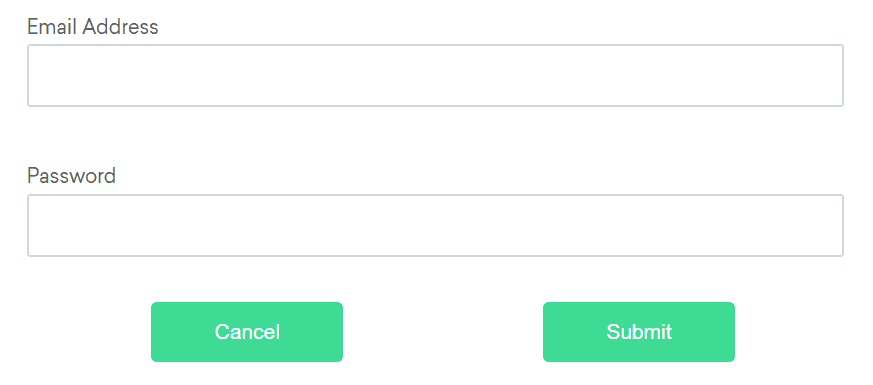
Available relative locators
Above
If the email text field element is not easily identifiable for some reason, but the password text field element is, we can locate the text field element using the fact that it is an “input” element “above” the password element.
By emailLocator = RelativeLocator.with(By.tagName("input")).above(By.id("password"));email_locator = locate_with(By.TAG_NAME, "input").above({By.ID: "password"})var emailLocator = RelativeBy.WithLocator(By.TagName("input")).Above(By.Id("password")); driver.find_element({relative: {tag_name: 'input', above: {id: 'password'}}})/examples/ruby/spec/elements/locators_spec.rb
# frozen_string_literal: true

require 'spec_helper'

RSpec.describe 'Element Locators', skip: 'These are reference following the documentation example' do
  it 'finds element by class name' do
    driver.find_element(class: 'information')
  end

  it 'finds element by css selector' do
    driver.find_element(css: '#fname')
  end

  it 'finds element by id' do
    driver.find_element(id: 'lname')
  end

  it 'find element by name' do
    driver.find_element(name: 'newsletter')
  end

  it 'finds element by link text' do
    driver.find_element(link_text: 'Selenium Official Page')
  end

  it 'finds element by partial link text' do
    driver.find_element(partial_link_text: 'Official Page')
  end

  it 'finds element by tag name' do
    driver.find_element(tag_name: 'a')
  end

  it 'finds element by xpath' do
    driver.find_element(xpath: "//input[@value='f']")
  end

  context 'with relative locators' do
    it 'finds element above' do
      driver.find_element({relative: {tag_name: 'input', above: {id: 'password'}}})
    end

    it 'finds element below' do
      driver.find_element({relative: {tag_name: 'input', below: {id: 'email'}}})
    end

    it 'finds element to the left' do
      driver.find_element({relative: {tag_name: 'button', left: {id: 'submit'}}})
    end

    it 'finds element to the right' do
      driver.find_element({relative: {tag_name: 'button', right: {id: 'cancel'}}})
    end

    it 'finds near element' do
      driver.find_element({relative: {tag_name: 'input', near: {id: 'lbl-email'}}})
    end

    it 'chains relative locators' do
      driver.find_element({relative: {tag_name: 'button', below: {id: 'email'}, right: {id: 'cancel'}}})
    end
  end
end
let emailLocator = locateWith(By.tagName('input')).above(By.id('password'));val emailLocator = RelativeLocator.with(By.tagName("input")).above(By.id("password"))Below
If the password text field element is not easily identifiable for some reason, but the email text field element is, we can locate the text field element using the fact that it is an “input” element “below” the email element.
By passwordLocator = RelativeLocator.with(By.tagName("input")).below(By.id("email"));password_locator = locate_with(By.TAG_NAME, "input").below({By.ID: "email"})var passwordLocator = RelativeBy.WithLocator(By.TagName("input")).Below(By.Id("email")); driver.find_element({relative: {tag_name: 'input', below: {id: 'email'}}})/examples/ruby/spec/elements/locators_spec.rb
# frozen_string_literal: true

require 'spec_helper'

RSpec.describe 'Element Locators', skip: 'These are reference following the documentation example' do
  it 'finds element by class name' do
    driver.find_element(class: 'information')
  end

  it 'finds element by css selector' do
    driver.find_element(css: '#fname')
  end

  it 'finds element by id' do
    driver.find_element(id: 'lname')
  end

  it 'find element by name' do
    driver.find_element(name: 'newsletter')
  end

  it 'finds element by link text' do
    driver.find_element(link_text: 'Selenium Official Page')
  end

  it 'finds element by partial link text' do
    driver.find_element(partial_link_text: 'Official Page')
  end

  it 'finds element by tag name' do
    driver.find_element(tag_name: 'a')
  end

  it 'finds element by xpath' do
    driver.find_element(xpath: "//input[@value='f']")
  end

  context 'with relative locators' do
    it 'finds element above' do
      driver.find_element({relative: {tag_name: 'input', above: {id: 'password'}}})
    end

    it 'finds element below' do
      driver.find_element({relative: {tag_name: 'input', below: {id: 'email'}}})
    end

    it 'finds element to the left' do
      driver.find_element({relative: {tag_name: 'button', left: {id: 'submit'}}})
    end

    it 'finds element to the right' do
      driver.find_element({relative: {tag_name: 'button', right: {id: 'cancel'}}})
    end

    it 'finds near element' do
      driver.find_element({relative: {tag_name: 'input', near: {id: 'lbl-email'}}})
    end

    it 'chains relative locators' do
      driver.find_element({relative: {tag_name: 'button', below: {id: 'email'}, right: {id: 'cancel'}}})
    end
  end
end
let passwordLocator = locateWith(By.tagName('input')).below(By.id('email'));val passwordLocator = RelativeLocator.with(By.tagName("input")).below(By.id("email"))Left of
If the cancel button is not easily identifiable for some reason, but the submit button element is, we can locate the cancel button element using the fact that it is a “button” element to the “left of” the submit element.
By cancelLocator = RelativeLocator.with(By.tagName("button")).toLeftOf(By.id("submit"));cancel_locator = locate_with(By.TAG_NAME, "button").to_left_of({By.ID: "submit"})var cancelLocator = RelativeBy.WithLocator(By.tagName("button")).LeftOf(By.Id("submit")); driver.find_element({relative: {tag_name: 'button', left: {id: 'submit'}}})/examples/ruby/spec/elements/locators_spec.rb
# frozen_string_literal: true

require 'spec_helper'

RSpec.describe 'Element Locators', skip: 'These are reference following the documentation example' do
  it 'finds element by class name' do
    driver.find_element(class: 'information')
  end

  it 'finds element by css selector' do
    driver.find_element(css: '#fname')
  end

  it 'finds element by id' do
    driver.find_element(id: 'lname')
  end

  it 'find element by name' do
    driver.find_element(name: 'newsletter')
  end

  it 'finds element by link text' do
    driver.find_element(link_text: 'Selenium Official Page')
  end

  it 'finds element by partial link text' do
    driver.find_element(partial_link_text: 'Official Page')
  end

  it 'finds element by tag name' do
    driver.find_element(tag_name: 'a')
  end

  it 'finds element by xpath' do
    driver.find_element(xpath: "//input[@value='f']")
  end

  context 'with relative locators' do
    it 'finds element above' do
      driver.find_element({relative: {tag_name: 'input', above: {id: 'password'}}})
    end

    it 'finds element below' do
      driver.find_element({relative: {tag_name: 'input', below: {id: 'email'}}})
    end

    it 'finds element to the left' do
      driver.find_element({relative: {tag_name: 'button', left: {id: 'submit'}}})
    end

    it 'finds element to the right' do
      driver.find_element({relative: {tag_name: 'button', right: {id: 'cancel'}}})
    end

    it 'finds near element' do
      driver.find_element({relative: {tag_name: 'input', near: {id: 'lbl-email'}}})
    end

    it 'chains relative locators' do
      driver.find_element({relative: {tag_name: 'button', below: {id: 'email'}, right: {id: 'cancel'}}})
    end
  end
end
let cancelLocator = locateWith(By.tagName('button')).toLeftOf(By.id('submit'));val cancelLocator = RelativeLocator.with(By.tagName("button")).toLeftOf(By.id("submit"))Right of
If the submit button is not easily identifiable for some reason, but the cancel button element is, we can locate the submit button element using the fact that it is a “button” element “to the right of” the cancel element.
By submitLocator = RelativeLocator.with(By.tagName("button")).toRightOf(By.id("cancel"));submit_locator = locate_with(By.TAG_NAME, "button").to_right_of({By.ID: "cancel"})var submitLocator = RelativeBy.WithLocator(By.tagName("button")).RightOf(By.Id("cancel")); driver.find_element({relative: {tag_name: 'button', right: {id: 'cancel'}}})/examples/ruby/spec/elements/locators_spec.rb
# frozen_string_literal: true

require 'spec_helper'

RSpec.describe 'Element Locators', skip: 'These are reference following the documentation example' do
  it 'finds element by class name' do
    driver.find_element(class: 'information')
  end

  it 'finds element by css selector' do
    driver.find_element(css: '#fname')
  end

  it 'finds element by id' do
    driver.find_element(id: 'lname')
  end

  it 'find element by name' do
    driver.find_element(name: 'newsletter')
  end

  it 'finds element by link text' do
    driver.find_element(link_text: 'Selenium Official Page')
  end

  it 'finds element by partial link text' do
    driver.find_element(partial_link_text: 'Official Page')
  end

  it 'finds element by tag name' do
    driver.find_element(tag_name: 'a')
  end

  it 'finds element by xpath' do
    driver.find_element(xpath: "//input[@value='f']")
  end

  context 'with relative locators' do
    it 'finds element above' do
      driver.find_element({relative: {tag_name: 'input', above: {id: 'password'}}})
    end

    it 'finds element below' do
      driver.find_element({relative: {tag_name: 'input', below: {id: 'email'}}})
    end

    it 'finds element to the left' do
      driver.find_element({relative: {tag_name: 'button', left: {id: 'submit'}}})
    end

    it 'finds element to the right' do
      driver.find_element({relative: {tag_name: 'button', right: {id: 'cancel'}}})
    end

    it 'finds near element' do
      driver.find_element({relative: {tag_name: 'input', near: {id: 'lbl-email'}}})
    end

    it 'chains relative locators' do
      driver.find_element({relative: {tag_name: 'button', below: {id: 'email'}, right: {id: 'cancel'}}})
    end
  end
end
let submitLocator = locateWith(By.tagName('button')).toRightOf(By.id('cancel'));val submitLocator = RelativeLocator.with(By.tagName("button")).toRightOf(By.id("cancel"))Near
If the relative positioning is not obvious, or it varies based on window size, you can use the near method to
identify an element that is at most 50px away from the provided locator.
One great use case for this is to work with a form element that doesn’t have an easily constructed locator,
but its associated input label element does.
By emailLocator = RelativeLocator.with(By.tagName("input")).near(By.id("lbl-email"));email_locator = locate_with(By.TAG_NAME, "input").near({By.ID: "lbl-email"})var emailLocator = RelativeBy.WithLocator(By.tagName("input")).Near(By.Id("lbl-email")); driver.find_element({relative: {tag_name: 'input', near: {id: 'lbl-email'}}})/examples/ruby/spec/elements/locators_spec.rb
# frozen_string_literal: true

require 'spec_helper'

RSpec.describe 'Element Locators', skip: 'These are reference following the documentation example' do
  it 'finds element by class name' do
    driver.find_element(class: 'information')
  end

  it 'finds element by css selector' do
    driver.find_element(css: '#fname')
  end

  it 'finds element by id' do
    driver.find_element(id: 'lname')
  end

  it 'find element by name' do
    driver.find_element(name: 'newsletter')
  end

  it 'finds element by link text' do
    driver.find_element(link_text: 'Selenium Official Page')
  end

  it 'finds element by partial link text' do
    driver.find_element(partial_link_text: 'Official Page')
  end

  it 'finds element by tag name' do
    driver.find_element(tag_name: 'a')
  end

  it 'finds element by xpath' do
    driver.find_element(xpath: "//input[@value='f']")
  end

  context 'with relative locators' do
    it 'finds element above' do
      driver.find_element({relative: {tag_name: 'input', above: {id: 'password'}}})
    end

    it 'finds element below' do
      driver.find_element({relative: {tag_name: 'input', below: {id: 'email'}}})
    end

    it 'finds element to the left' do
      driver.find_element({relative: {tag_name: 'button', left: {id: 'submit'}}})
    end

    it 'finds element to the right' do
      driver.find_element({relative: {tag_name: 'button', right: {id: 'cancel'}}})
    end

    it 'finds near element' do
      driver.find_element({relative: {tag_name: 'input', near: {id: 'lbl-email'}}})
    end

    it 'chains relative locators' do
      driver.find_element({relative: {tag_name: 'button', below: {id: 'email'}, right: {id: 'cancel'}}})
    end
  end
end
let emailLocator = locateWith(By.tagName('input')).near(By.id('lbl-email'));val emailLocator = RelativeLocator.with(By.tagName("input")).near(By.id("lbl-email"));Chaining relative locators
You can also chain locators if needed. Sometimes the element is most easily identified as being both above/below one element and right/left of another.
By submitLocator = RelativeLocator.with(By.tagName("button")).below(By.id("email")).toRightOf(By.id("cancel"));submit_locator = locate_with(By.TAG_NAME, "button").below({By.ID: "email"}).to_right_of({By.ID: "cancel"})var submitLocator = RelativeBy.WithLocator(By.tagName("button")).Below(By.Id("email")).RightOf(By.Id("cancel")); driver.find_element({relative: {tag_name: 'button', below: {id: 'email'}, right: {id: 'cancel'}}})/examples/ruby/spec/elements/locators_spec.rb
# frozen_string_literal: true

require 'spec_helper'

RSpec.describe 'Element Locators', skip: 'These are reference following the documentation example' do
  it 'finds element by class name' do
    driver.find_element(class: 'information')
  end

  it 'finds element by css selector' do
    driver.find_element(css: '#fname')
  end

  it 'finds element by id' do
    driver.find_element(id: 'lname')
  end

  it 'find element by name' do
    driver.find_element(name: 'newsletter')
  end

  it 'finds element by link text' do
    driver.find_element(link_text: 'Selenium Official Page')
  end

  it 'finds element by partial link text' do
    driver.find_element(partial_link_text: 'Official Page')
  end

  it 'finds element by tag name' do
    driver.find_element(tag_name: 'a')
  end

  it 'finds element by xpath' do
    driver.find_element(xpath: "//input[@value='f']")
  end

  context 'with relative locators' do
    it 'finds element above' do
      driver.find_element({relative: {tag_name: 'input', above: {id: 'password'}}})
    end

    it 'finds element below' do
      driver.find_element({relative: {tag_name: 'input', below: {id: 'email'}}})
    end

    it 'finds element to the left' do
      driver.find_element({relative: {tag_name: 'button', left: {id: 'submit'}}})
    end

    it 'finds element to the right' do
      driver.find_element({relative: {tag_name: 'button', right: {id: 'cancel'}}})
    end

    it 'finds near element' do
      driver.find_element({relative: {tag_name: 'input', near: {id: 'lbl-email'}}})
    end

    it 'chains relative locators' do
      driver.find_element({relative: {tag_name: 'button', below: {id: 'email'}, right: {id: 'cancel'}}})
    end
  end
end
let submitLocator = locateWith(By.tagName('button')).below(By.id('email')).toRightOf(By.id('cancel'));val submitLocator = RelativeLocator.with(By.tagName("button")).below(By.id("email")).toRightOf(By.id("cancel"))